8 Configuring various settings
62
If connecting the scanner to the PC on which the controller is not installed
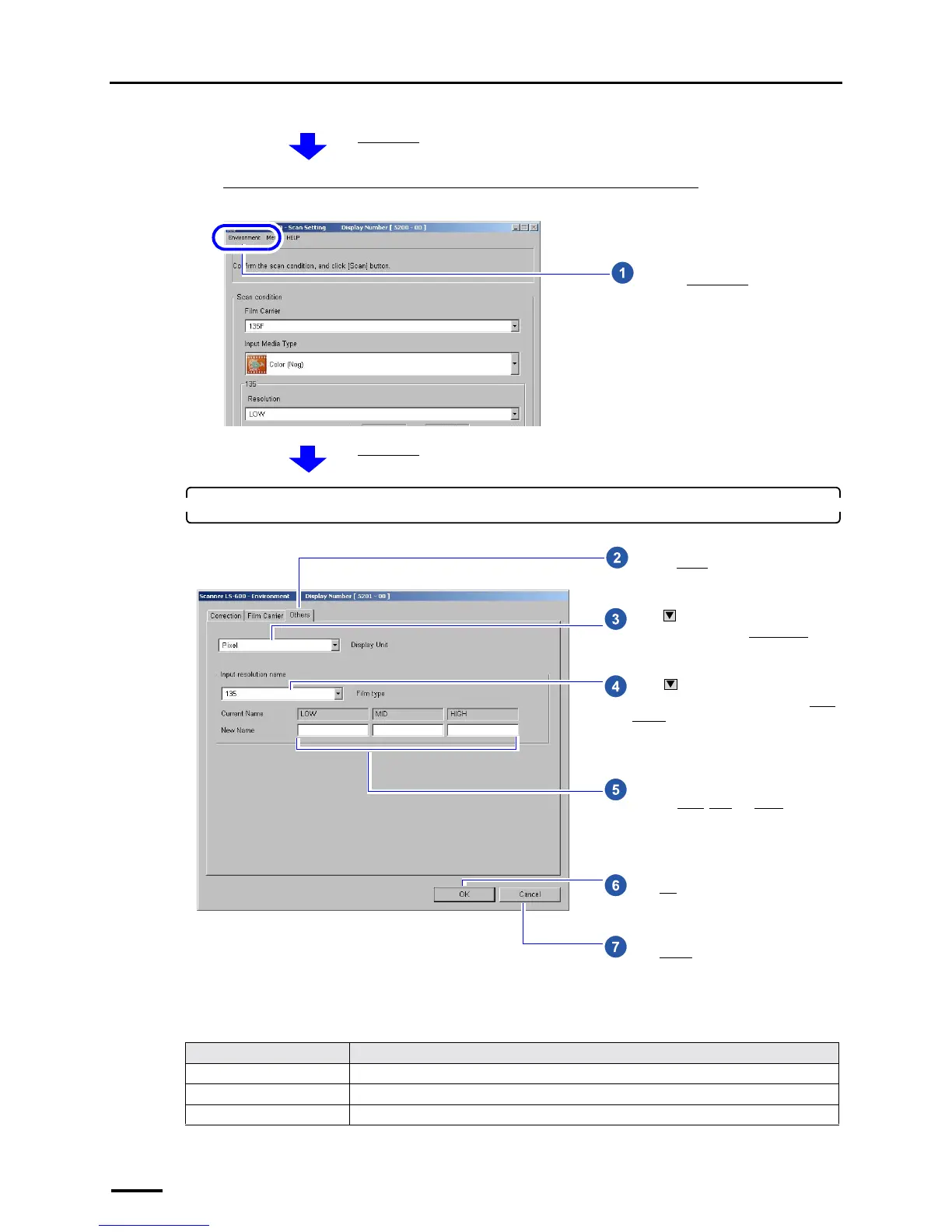
Example: Scan Setting display
2. Configure the settings on the Others tab.
Display Unit
This completes configuring the display unit and resolution name settings.
Item Setting
Pixel Displays in pixel unit.
inch Displays in 0.01 inch.
mm Displays in 0.1 mm.
The Environment display is shown.
Go to Step 2.
Click the Environment tab.
S5200-00-UM01
The Environment display is shown.
Click and select the unit of input
image size shown on the Scan Setting
display. (See the table below.)
Click to select the film type of the
resolution names to be changed in the Scan
Setting display.
Perform this operation only when you want
to change the resolution names.
Enter the names if you want to change the
names of LOW
, MID and HIGH. Up to ten
one-byte characters can be entered.
Click OK.
Click the Others tab.
Click Cancel.
S5201-00-UM03



 To Next Page