10 Quick reference
73
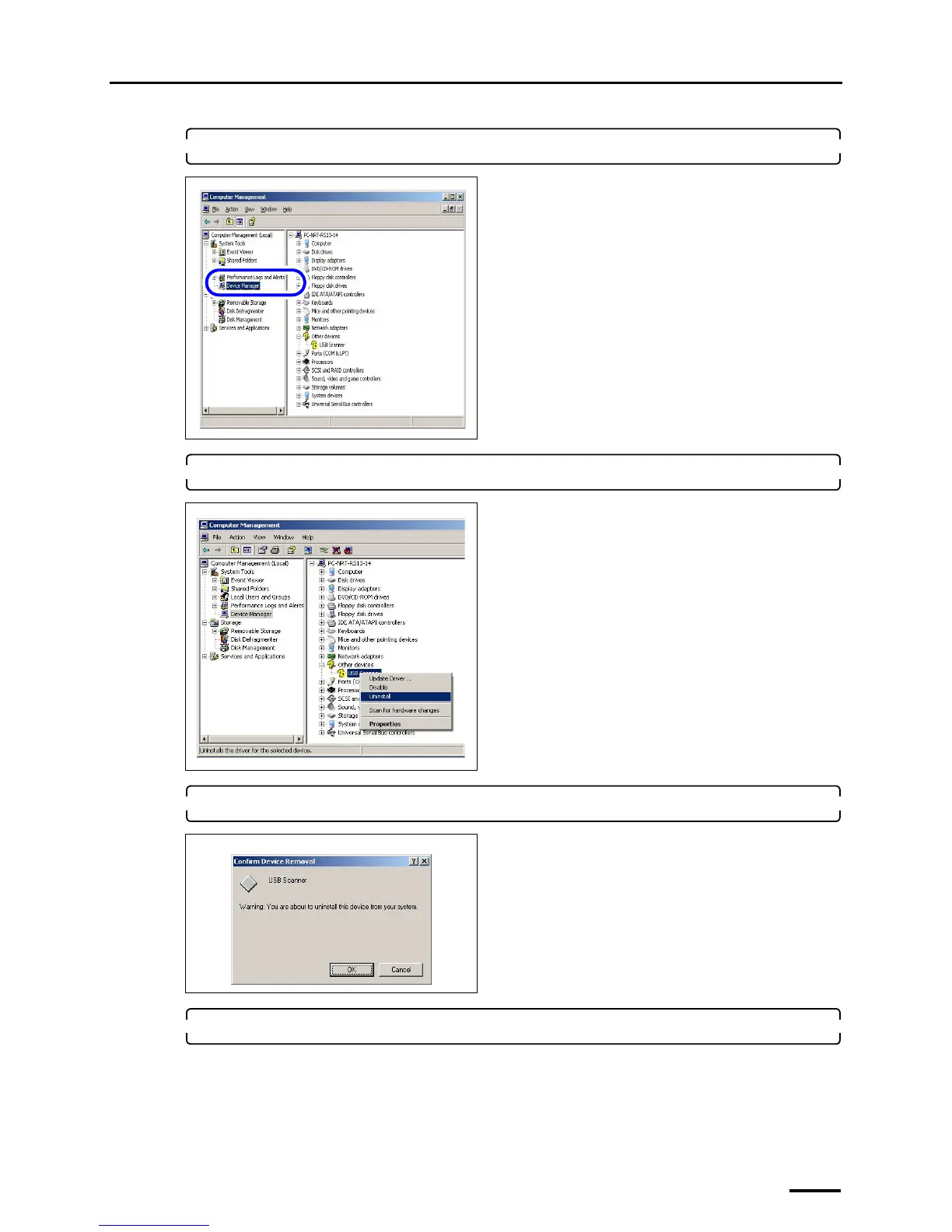
3. Click Device Manager.
4. Right-click USB scanner in Other devices, and click Uninstall.
5. Click OK.
6. Install SYSTEM PROGRAM again.
• For details, see ☞6 Installing the SYSTEM PROGRAM.
The display to install the USB driver is shown.
• Perform the operations from Step 2 in
☞7.2 Configuring USB driver settings.



 To Next Page