5-2
BioProfile FLEX2 ESM Instructions for Use Manual
5.1.1 ESM Depro
The ESM Depro function allows an operator with appropriate privileges to perform a
Depro of the ESM sample ow path. During an ESM Depro, the ESM syringe pump draws
Deproteinizing solution from the ESM Reagent Cartridge and deposits it into the ESM
sample cup via the cup wash (CW) tubing line. The syringe pump then drains the Depro
solution through the sample (CF) line and out the waste (EF) line to the self-contained
waste receptacle in the ESM Reagent Cartridge.
The sequence utilizes onboard reagents and can be congured to run automatically
at regular intervals to maintain optimal ESM performance. By default, the ESM Depro
sequence is scheduled to occur daily, according to Nova Biomedical’s recommendation
for prevention of build-up and blockages of sample debris and protein in the ESM sample
cup and sample tubing lines. The ESM Depro function cannot be disabled, but the End
User can congure a start time and modify the frequency of occurrence to either weekly,
bi-weekly, or monthly in the FLEX2 Settings menu under Scheduling. Additionally, ESM
Depro can be scheduled to run after every sample acquisition through the ambr® User
Interface to minimize crossover between samples.
NOTE: The volume of Depro uid remaining in the ESM Reagent Cartridge is tracked
and monitored in ESM Module Status window. If Depro uid runs out, the ESM
Depro sequence will be disabled until a new reagent cartridge is installed.
However, the pack will remain valid and online sample analysis functionality
will remain unaffected.
To perform an ESM Depro:
1. Select the ESM Depro icon from the ESM Maintenance screen.
2. Select the Start button in the Command Bar to begin the Depro Sequence.
To modify the automatic ESM Depro schedule:
1. Select the Settings icon from the Right Home Screen, then select the Scheduling
button to open the Scheduling Menu. Press the ESM icon in the left column to
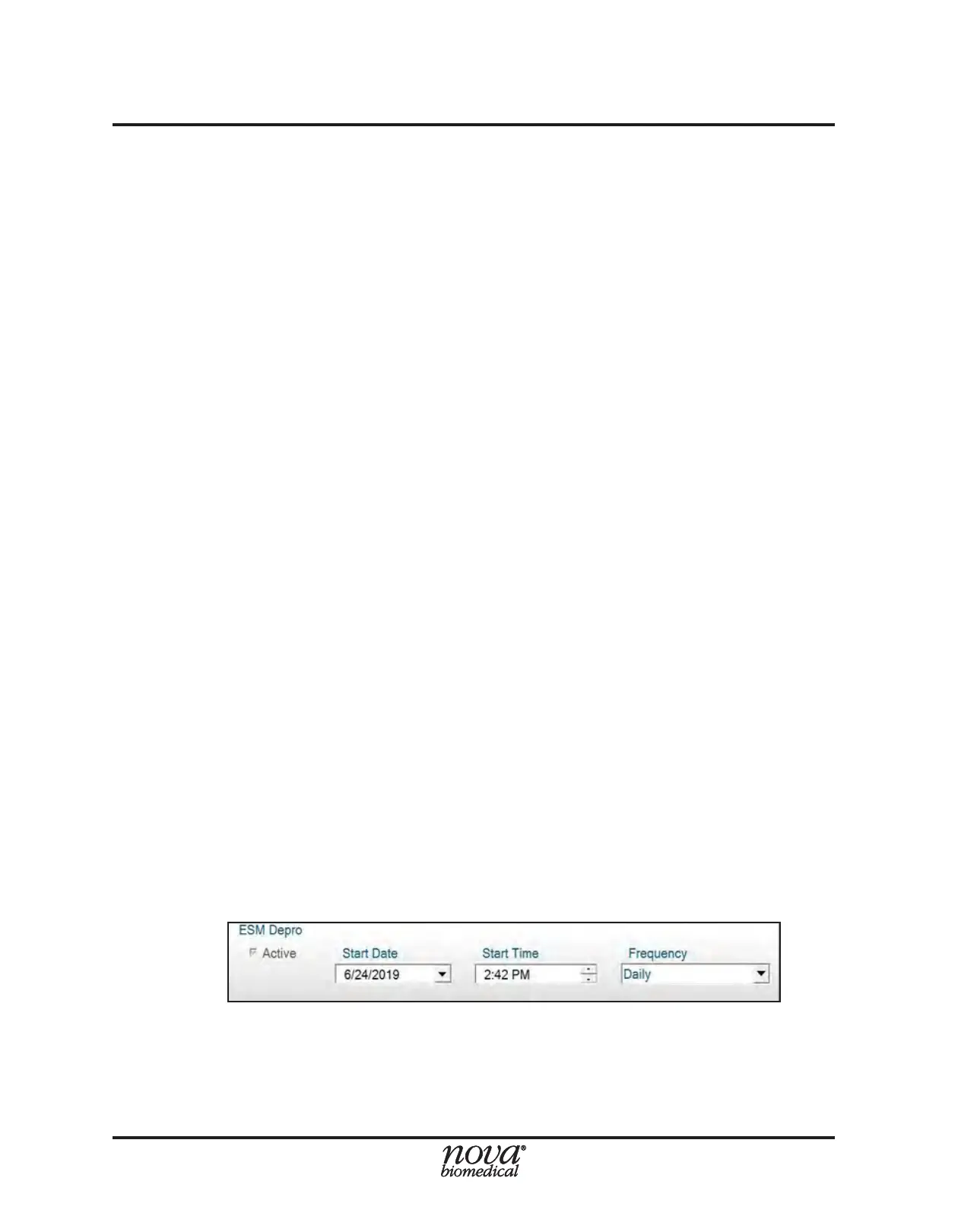
display the ESM Depro Scheduler (Fig. 5.2).
2. Select a Start Date for the ESM Depro function from the dropdown.
3. Select a Start Time for the ESM Depro function.
4. Select a Frequency (i.e. Daily, Weekly, Bi-Monthly, Monthly) for the ESM Depro
function.
NOTE: The start date and start time must be set for a time in the future in order to
save.
5. Select the Save button in the Command Bar to save the scheduling conguration.
Figure 5.2 ESM Scheduling Menu


 To Next Page