NTI ENTERPRISE ENVIRONMENT MONITORING SYSTEM
103
HOW TO SETUP EMAIL
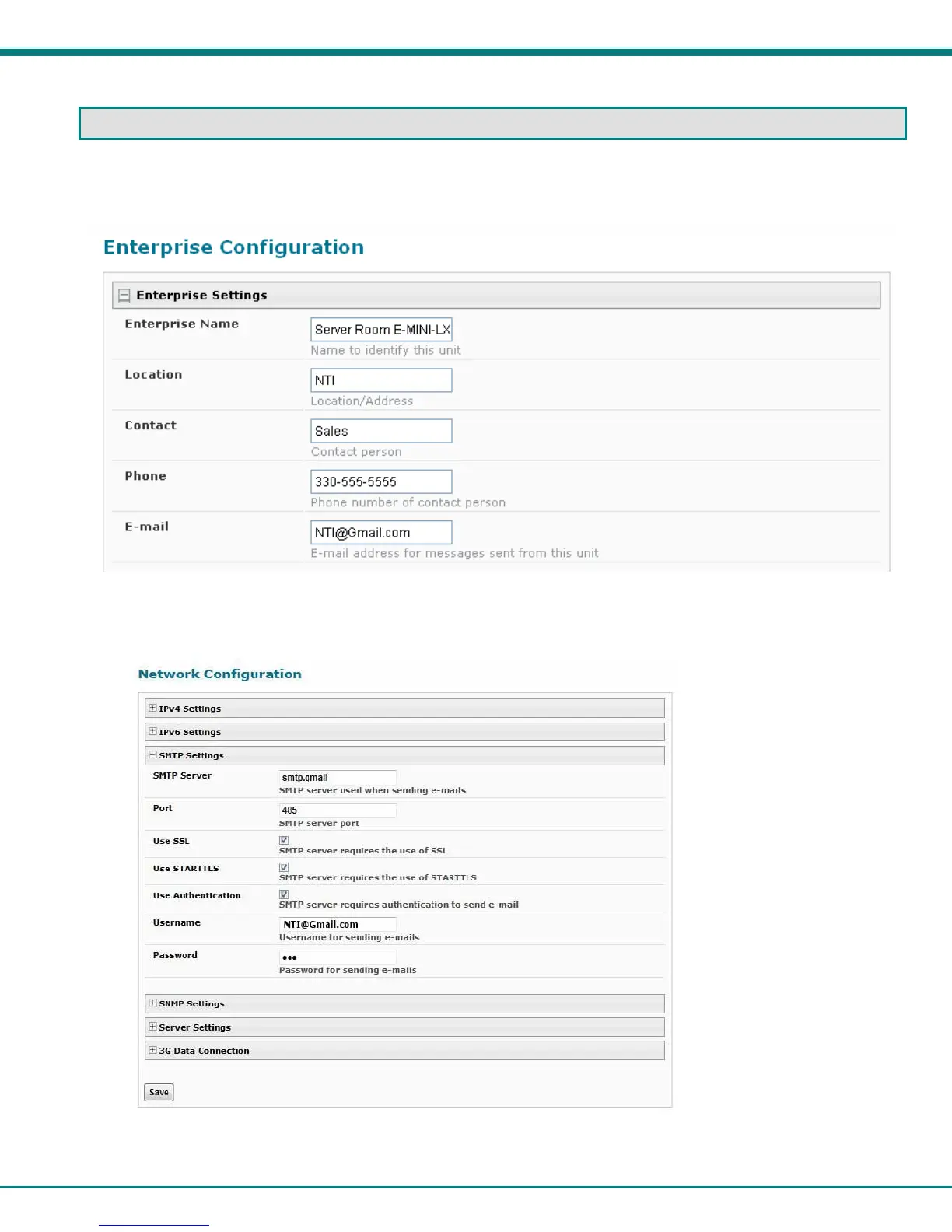
Use this guide to assist in the configuration of the ENVIROMUX to send email messages.
1. Apply a valid email address for the ENVIROMUX to the Enterprise Setup Page (see page 58).
Note: When authentication is required (check your email server requirements) the Username and Password applied on
the Network Configuration page must be for the user’s email address applied in the Enterprise Setup Page. If no
authentication is required, the Username and Password fields can be left empty.
Figure 107- Example of configuration for Gmail server


 To Next Page