NTI ENTERPRISE ENVIRONMENT MONITORING SYSTEM
85
With Events defined, Smart Alerts (up to 20) can be configured to use Event combinations to send alert messages.
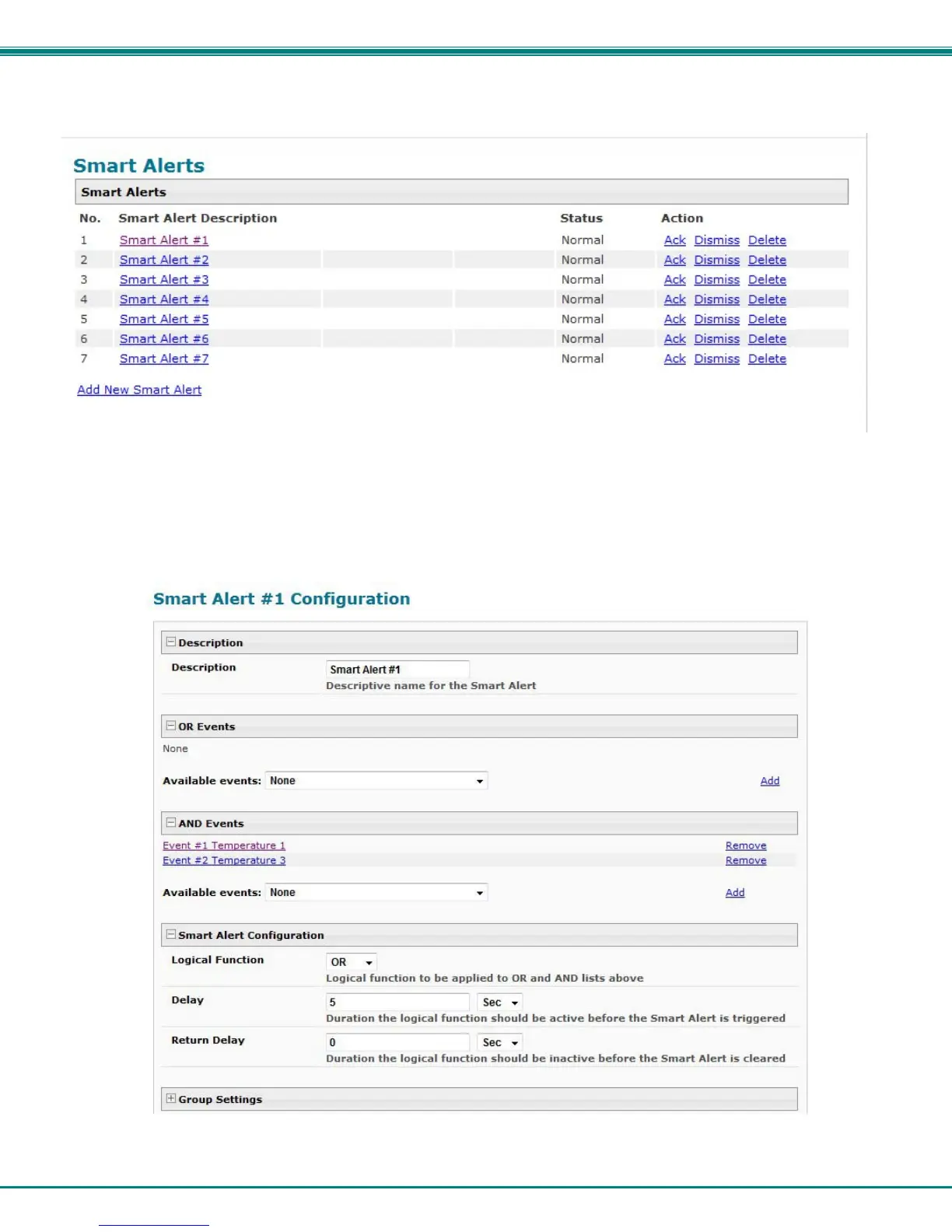
Figure 94- Smart Alert summary page
From the side menu, select “Smart Alerts”, and “Smart Alerts” again. On the Smart Alerts page, click on “Add New Smart Alert”.
A new numbered Smart Alert will be added to the summary page (above). To configure the Smart Alert, click on it.
A menu will open with many options to choose to make the best use of the information provided by the events.
Figure 95- Smart Alert configuration



 To Next Page