NTI ENTERPRISE ENVIRONMENT MONITORING SYSTEM
20
DC Power Option
The ENVIROMUX-16D is available with connections for DC power connection. The ENVIROMUX-16D-48V can be connect to a
36~72VDC (48VDC nominal) power supply. The ENVIROMUX-16D-24V can be connected to a 18~36VDC (24VDC nominal)
power supply. Each has connections on the rear for a user-supplied DC power supply. This is typically used when the
ENVIROMUX is installed in a Telecom environment. The ENVIROMUX-16D-xxV will accept a DC power source with positive or
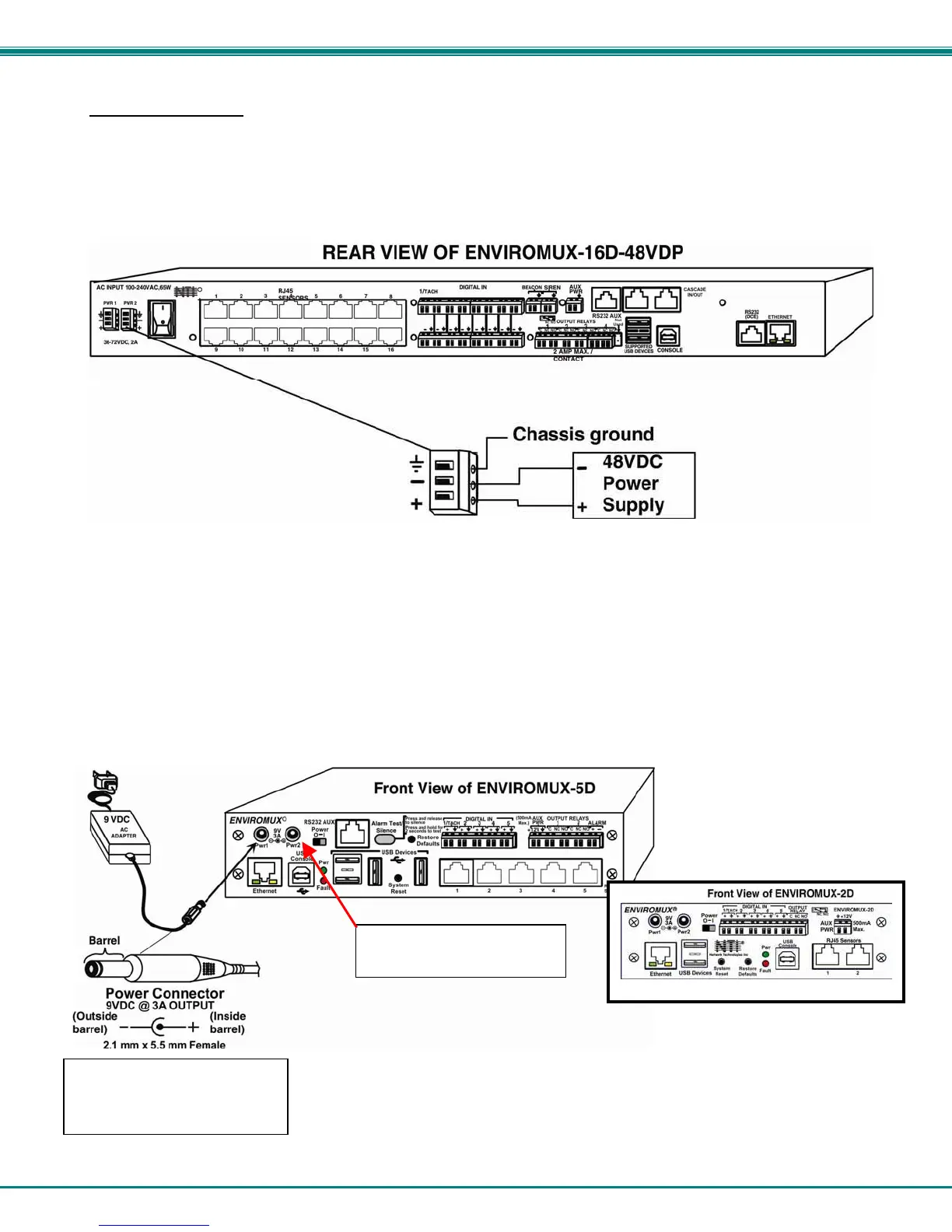
negative polarity. A removable 3-pole screw terminal is provided for easy connection. The image below shows an
ENVIROMUX-16D-48VDP, which has dual 48VDC power connections for a dual power supply option (also available for the
24VDC model).
Figure 18- 48VDC Power Option Connections
Power Connection- ENVIROMUX-5D/-2D
Note: Sensors should be connected before supplying power to the ENVIROMUX.
Connect the AC adapter to the connection marked "PWR1" or “PWR2” on the ENVIROMUX and plug it into an outlet. If you have
an alternate source of 9V power for the ENVIROMUX, the second PWR connection is provided to make that source available. If
the source connected to “PWR1” is lost for any reason, the ENVIROMUX will automatically switch to receiving power from the
source connected to “PWR2”.
Figure 19- Connect the AC adapter and power-up
Port for backup power
source is available for use
ENVIROMUX-5D(B)-IND uses
a 9VDC 5A power supply with
2.5mm x 5.5mm Female



 To Next Page