NTI ENTERPRISE ENVIRONMENT MONITORING SYSTEM
11
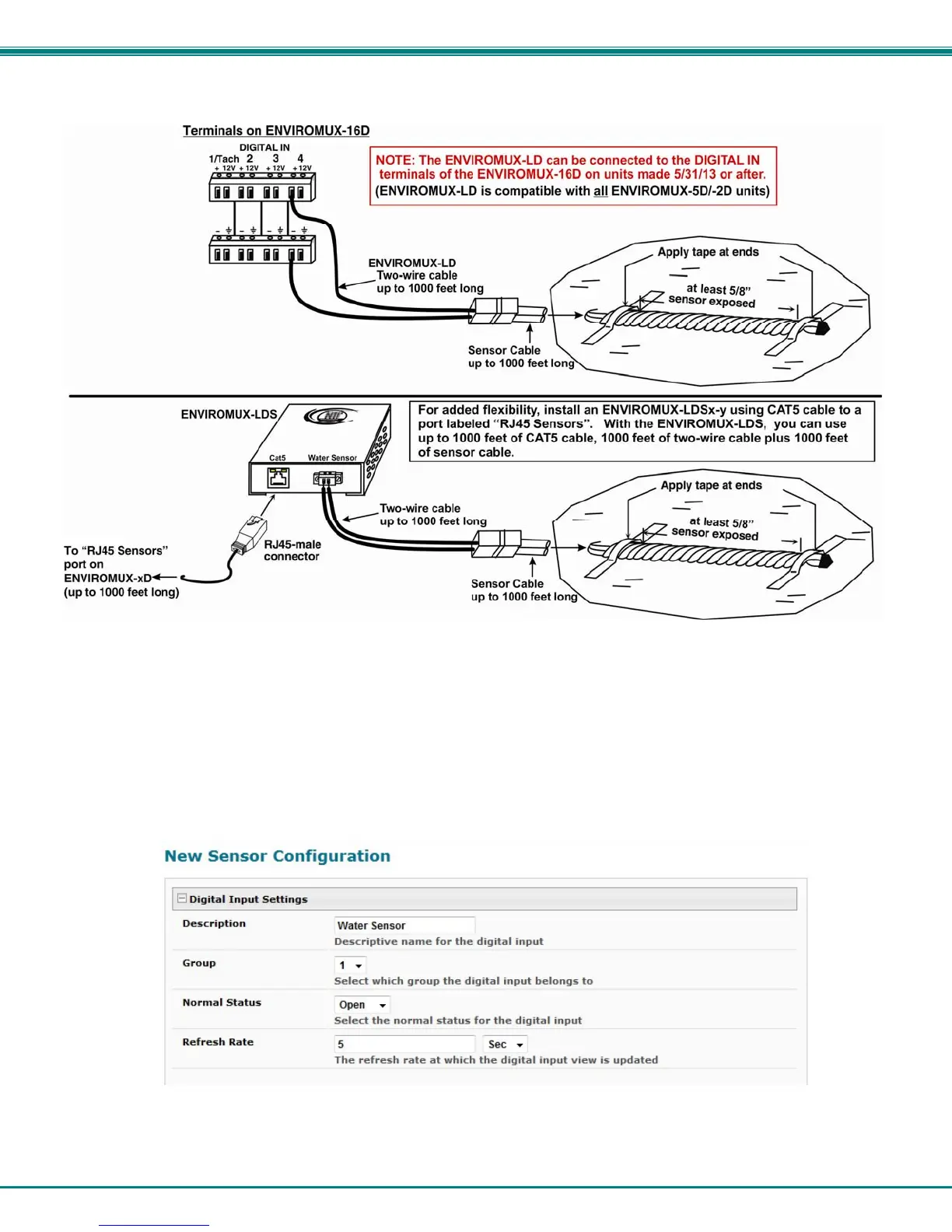
Figure 7- Secure liquid detection sensor with tape
To test the ENVIROMUX-LD(S);
1. Configure the sensor (page 42). (Normal Status set to “Open”, Sampling Period set to 5 seconds.)
2. Submerge at least ½ inch of the exposed twisted orange wire (not the wrapped end) for up to 30 seconds. Do NOT use
distilled water as water must be conductive.
3. Monitor the sensor (page 28) to see the sensor “Value” change from “Open” (dry) to “Closed” (wet).
4. Dry the exposed area of sensor and the sensor “Value” should change back to “Open” within 30 seconds.
Figure 8- Portion of Water Sensor configuration page



 To Next Page