Revision 1.03
5-4 ChannelMaster TX7 Transmitter
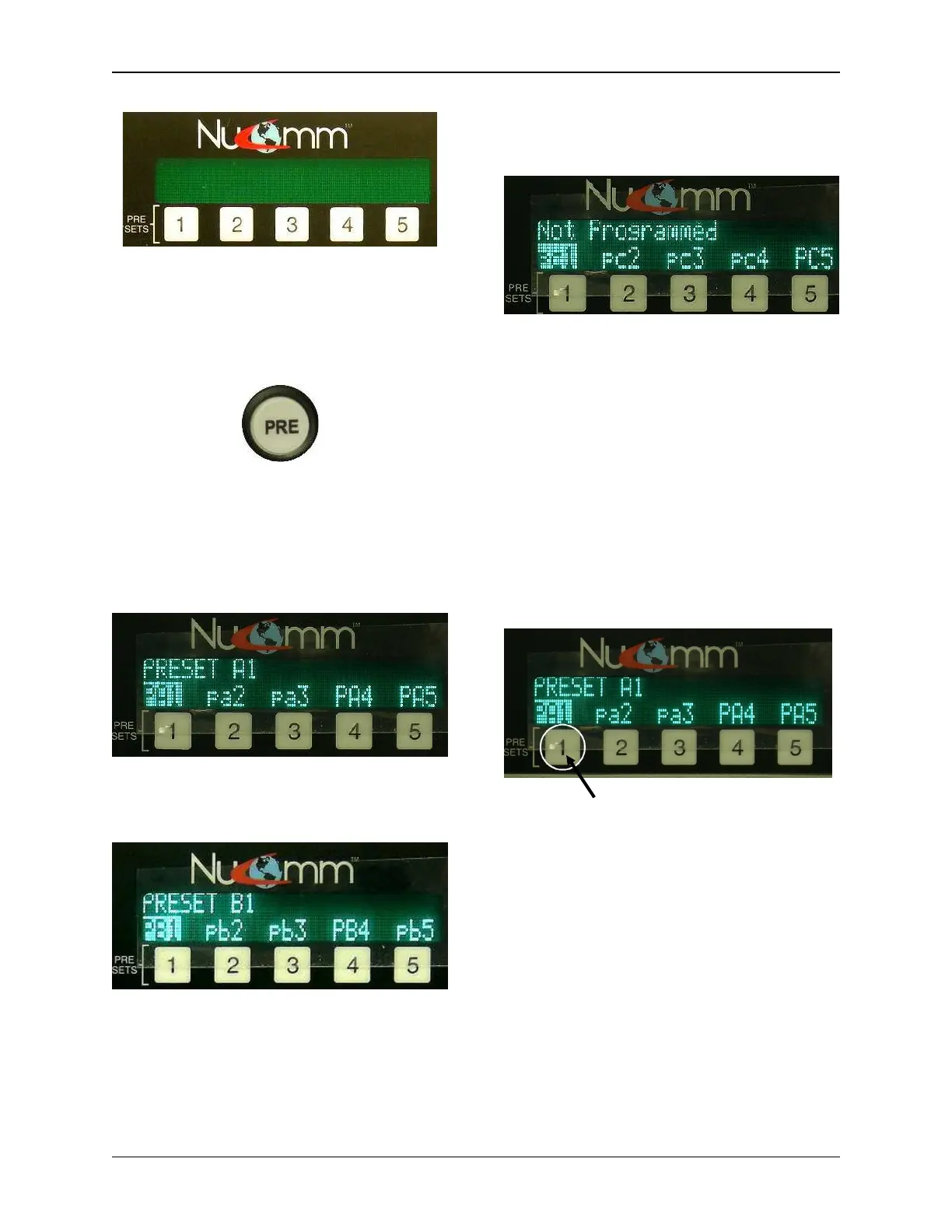
Pa1 through Pa5 may be accessed by
simply pressing the Preset (1-5) buttons.
The other two sets of presets are only
accessible through the PRE (Preset)
Button.
“PRE” Button
The “PRE” button toggles between the
three banks of presets. Pressing the
“PRE” Button once brings up the presets
pa1 – pa5.
Pressing the “PRE” Button twice, brings
up the presets pb1 – pb5.
Pressing the “PRE” Button three times,
brings up the presets pc1 – pc5.
Saving Presets
Before saving a preset, program the
radio with the desired parameters.
(Refer to Section 5.2.1 or 5.5.)
To Save Your Settings:
For Presets pa1 – pa5, simply press &
hold the desired numbered button until
the confirmation message is displayed
(approximately 4 seconds).
Press & hold numbered button below
the desired preset to save it.
For Presets pb1 – pb5, & pc1 – pc5,
press the “PRE” Button the appropriate
amount of times to bring up the desired
set. Rotate the “Quick-Knob” to highlight
the desired preset. Press & hold the
appropriate numbered key until the
confirmation message is displayed
(approximately 4 seconds).


 To Next Page