7
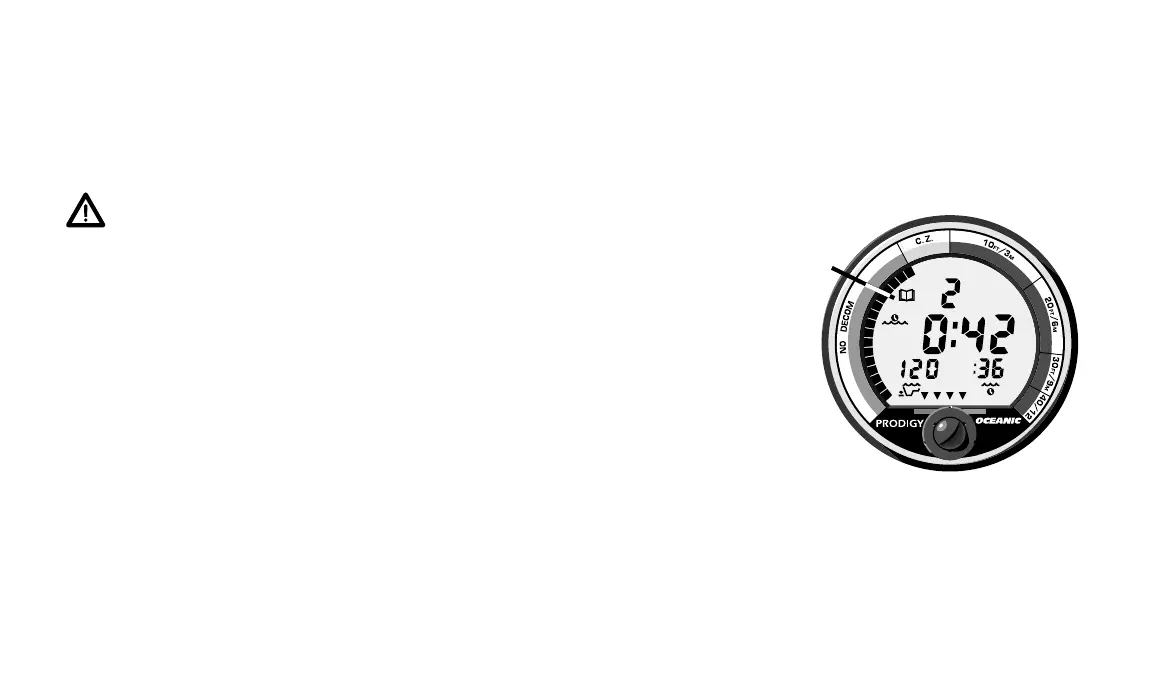
Fig. 6 – Dive Log Mode
a.
IT’S REALLY JUST THAT SIMPLE!
The PRODIGY is designed to help you stay out of trouble with quick
visual reference during all modes of operation. Just “keep it in the green” and
you’ll greatly reduce your exposure to decompression sickness.
WARNING – Using the PRODIGY, just as using the U.S. Navy (or
other) No-decompression Tables, is no guarantee of avoiding
decompression sickness, i.e. “the bends.”
OTHER SPECIAL FEATURES
The PRODIGY also helps you log your dives, dive at high altitudes, and
know when the minimum allowable surface time has elapsed to be able to fly,
according to UHMS guidelines. These special features are described on the
following pages.
LOGGING YOUR DIVES
Immediately after a dive, various information is stored in the PRODIGY’s
memory and can be accessed in the “Dive Log Mode.” Recalling this informa-
tion gives you a chance to record it in your log book. Your latest 10 dives are
stored and can be accessed by pressing the activation button.
Dive Log Mode signified by the Dive Log Identification Icon (Fig. 6a) will
automatically scroll through the latest ten dives starting with the most














 To Next Page