13
before entering the water to ensure it doesn’t need reactivation.
WARNING - If a Low Battery condition is indicated immediately
upon activation, Oceanic strongly recommends that you DO NOT
dive until you have obtained battery replacement, described on
pages 47-50. Activating the External Access(EA) mode, described
on page 59, when a Low Battery condition is initially indicated will
cause the flashing Low Battery Icon to disappear implying satisfac-
tory voltage. DO NOT dive until batteries are replaced.
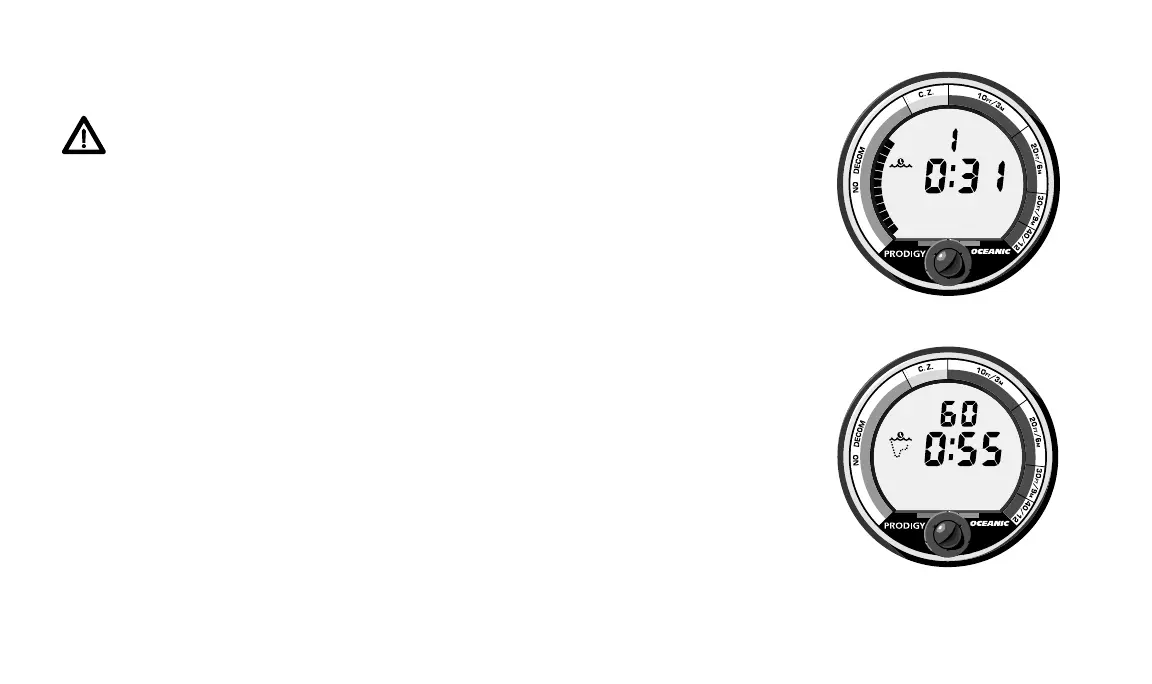
SURFACE MODE
Surface Mode, identified by the Surface Display Icon to the left of the
Surface Time display, immediately follows Diagnostic Mode after initial
activation (Fig 9). It also appears after a dive when you ascend shallower
than 3 feet (1 meter). Information provided includes, the number of the most
recent dive made, elapsed surface time and tissue loading (TLBG), if any.
PRE DIVE PLANNING SEQUENCE
™
(PDPS) MODE
Pre Dive Planning Sequence Mode, identified by the Pre Dive Planning
Icon to the left of the Time Display, follows after 20 seconds in Surface Mode
(Fig. 10). For 40 seconds this mode automatically scrolls through depths from
30 to 160 feet (9 to 48 meters), in 10 foot (3 meter) increments, showing
theoretical no-decompression dive times based upon your previous dive
Fig. 9 – Surface Mode
Fig. 10 – Pre Dive
Planning Sequence
®
®
FT














 To Next Page