2
INTRODUCTION
The PRODIGY was designed to be extremely easy to use and understand.
This owner’s guide is divided into five sections designed to make it easy to
learn how to use the PRODIGY. The first two sections will show you how it
performs in most diving situations. Section three describes extreme condition
performance such as deep or decompression diving. Sections four and five
present care & maintenance procedures and reference material. Start here to
begin learning about the PRODIGY.
REGULATOR ATTACHMENT
If you have purchased the PRODIGY in a console version, you will need
to have it attached to your regulator by an Authorized Oceanic Dealer.
ACTIVATING THE DISPLAY
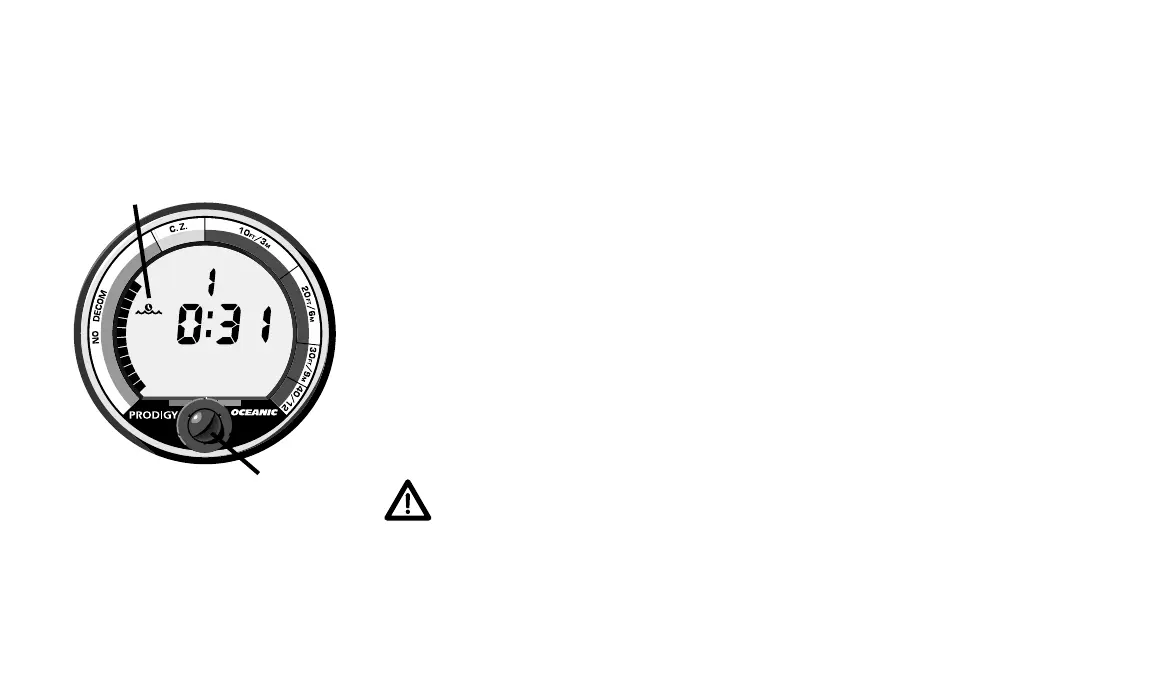
You can activate the PRODIGY by pressing and releasing the button
under its display (Fig. 1a). After a diagnostic check (10 seconds), it enters
“Surface Mode” signified by the Surface Display Icon (Fig. 1b).
WARNING - Be sure to inspect your PRODIGY prior to every dive, checking
for any signs of the entrance of moisture, damage to the button membrane,
or damage to the LCD display. If these or other signs of damage are found,
return the unit to an Authorized Oceanic Dealer or Oceanic Parts & Service.
DO NOT attempt to use until it has received factory service
.
a.
Fig. 1 – Surface Mode
®
b.














 To Next Page