Explorer
Pro
EN-7
3 OPERATION
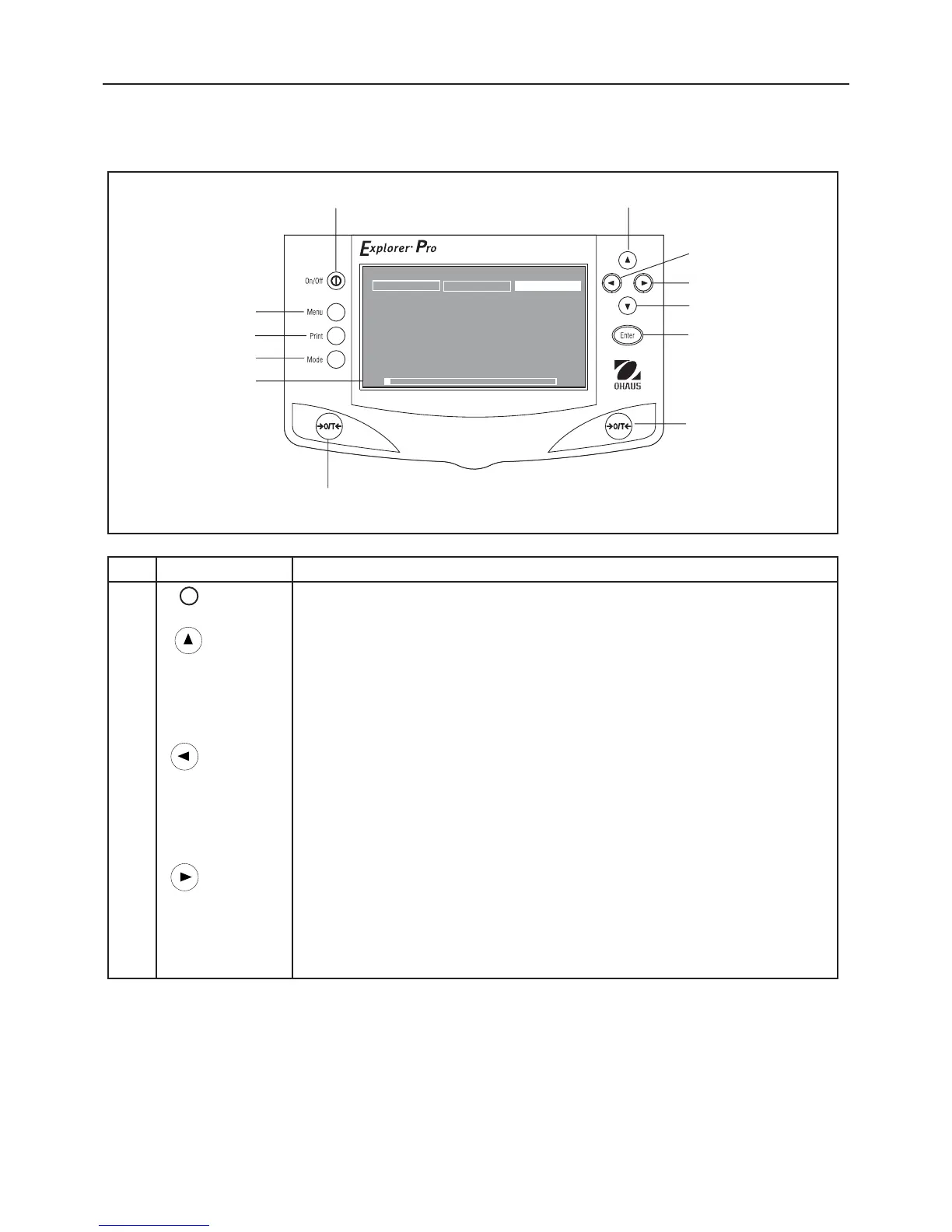
3.1 Overview of Controls
9
10
7
No. Designation Function
1 I Power On/ Off button.
2 button When pressed in Menu mode, single press moves menu selection bar in an up direction and
highlights the activated field or changes the settings of a selected field in increasing order.
When at an alphanumeric field, then the number or letter is incremented.
3 button When pressed in Menu mode, single press moves the cursor within a alphanumeric field
to the left (example date 07/02/2003). Selection does not wrap at end.
In application mode, single press moves to the next soft key selection to the left.
4 button When pressed in Menu mode, single press moves the cursor within a alphanumeric field
to the right (example date 07/02/2003). Selection does not wrap at end.
In application mode, single press moves to the next soft key selection to the right.
1
2
3
4
5
6
7
8
9
11
12
10
WEIGHING 01/01/03 03:05:45: PM
U
NIT
S
2nd
U
NIT
S
CA
L
IB
R
ATE
0.00
g
*
0.00g
0g
6100g













 To Next Page