EN-4 Explorer
Pro
2.2 Selecting the Location
2.2.1 Balance Location
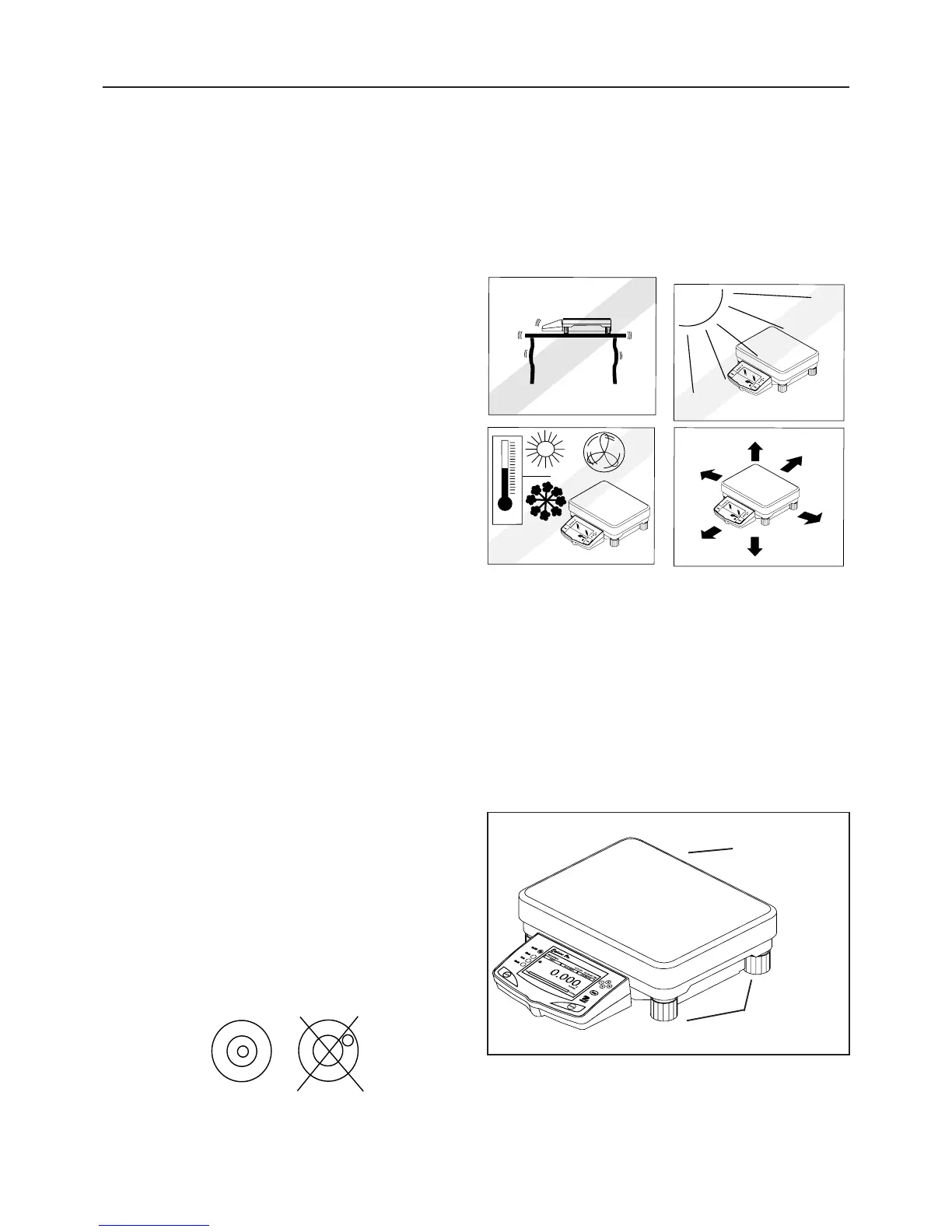
The balance should always be used in an environment which is
free from excessive air currents, corrosives, vibration, and
temperature or humidity extremes. These factors will affect
displayed weight readings.
DO NOT install the balance:
• Next to open windows or doors causing drafts or rapid
temperature changes.
• Near air conditioning or heat vents.
• Near vibrating, rotating or reciprocating equipment.
• Near magnetic fields or equipment that generates magnetic
fields.
• On an unlevel work surface.
• Allow sufficient space around the instrument for ease of
operation and keep away from radiating heat sources.
2.2.2 Leveling the Balance
Exact horizontal positioning and stable installation are
prerequisites for repeatable results. To compensate for small
irregularities or inclinations at the location, the instrument can
be leveled.
For exact horizontal positioning, the balance is equipped with a
level indicator located at the front on the control panel and two
leveling feet located at the rear of the balance.
Position the balance in the intended operating location. Adjust
the leveling feet at the rear of the balance until the air bubble in
the indicator is centered.
NOTE: The instrument should be leveled each time its location is
changed.
Correct Incorrect
W
EI
G
H
I
N
G
0
1
/
0
1
/0
3
0
3
:
0
5
:
4
5
:
P
M
U
N
I
T
S
2
nd
U
N
I
T
S
0.
0
0
g
*
0
.
0
0
g
0
g













 To Next Page