EN-10 MB95
3.5 Connecting to a Power Supply
WARNING: Risk of electric shock.
- Use only the 3-pin power cord with equipment grounding connector which
was supplied with your instrument. Only connect the power cord to a 3-pin
ground outlet.
- Only extension cords which meet the relevant standards and also have an
equipment grounding conductor may be used.
Attention:
Check to ensure the voltage stated on the Moisture Analyzer’s data label matches your local
line voltage. If this is not the case, do not connect the Moisture Analyzer to the power supply,
contact your responsible OHAUS dealer.
The halogen dryer unit is designed to operate at a specific line voltage
(90V AC or 240V AC). The dryer unit is installed at the factory and is matched to the
particular line voltage of the country of destination.
Connection to a line voltage that is too high can lead to burning out the halogen heater,
whereas, a supply voltage that is too low will prolong the drying process and the instrument
may not operate properly.
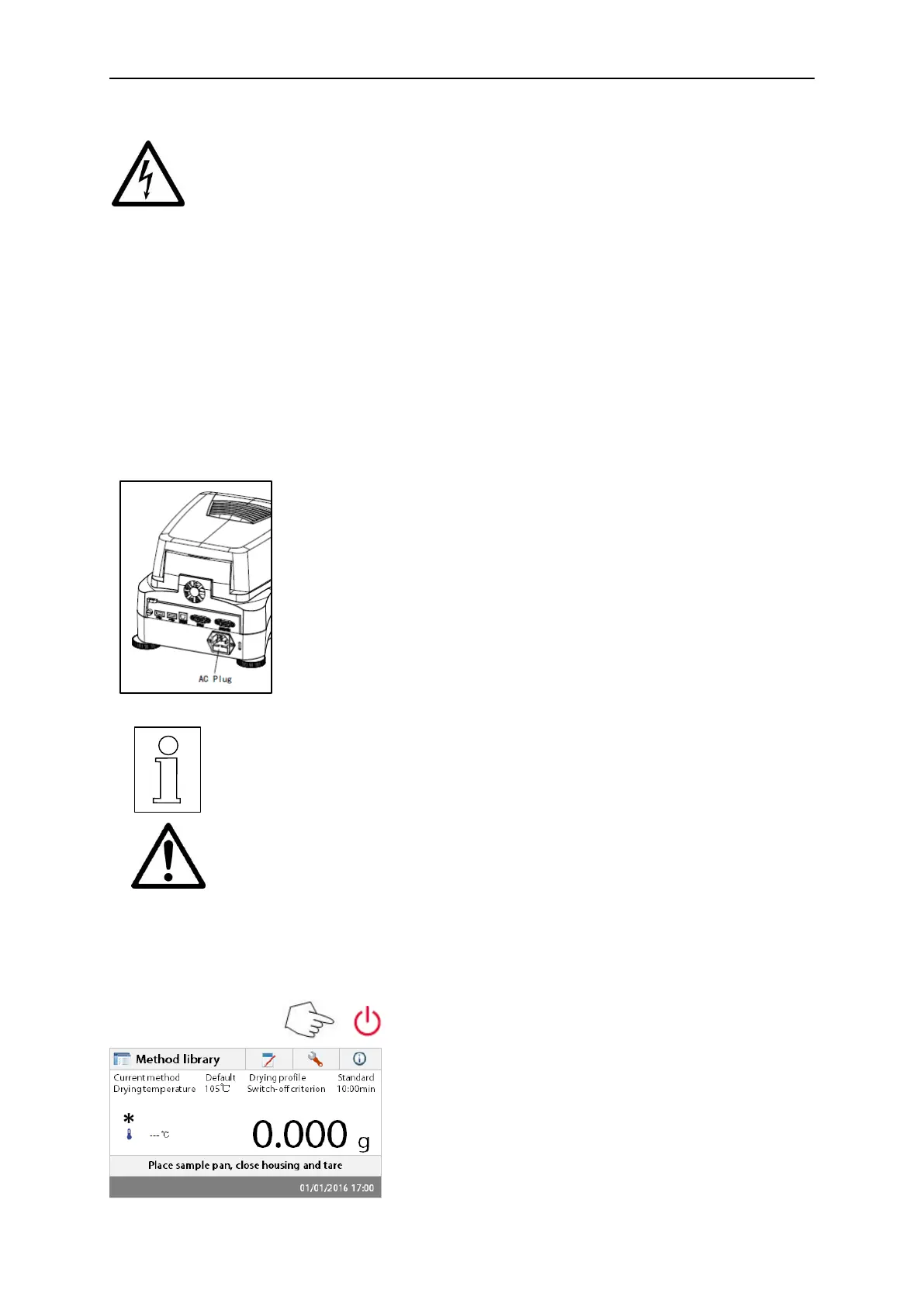
Connect the power cord to the power supply socket located at the
rear of the Moisture Analyzer and to the power supply outlet. The
Moisture Analyzer becomes operational as soon as power is
applied. The display will remain off until the On/Off button is
pressed.
Allow the Moisture Analyzer to warm up for at least 30 minutes to
enable it to adapt itself to the ambient conditions. If the Moisture Analyzer
has been stored in a very cold environment before installation, it may
require several hours for it to stabilize.
WARNING:
If the power cable supplied is not long enough, use only a proper 3-pin
extension cable with an equipment grounding connector.
3.6 Switching the Moisture Analyzer on and off
Your Moisture Analyzer is on at all times when connected to a power source. The display can be
turned on or off.
To switch the Moisture Analyzer on, press the
On/Off button. An internal diagnostic test is
performed; the display lights and the Home screen
appears followed by the initial display.
To switch the Moisture Analyzer off, press the
On/Off button. After the analyzer has been switched
off, it is in the standby mode. If you wish to perform a
test, press the On/Off button again.



 To Next Page