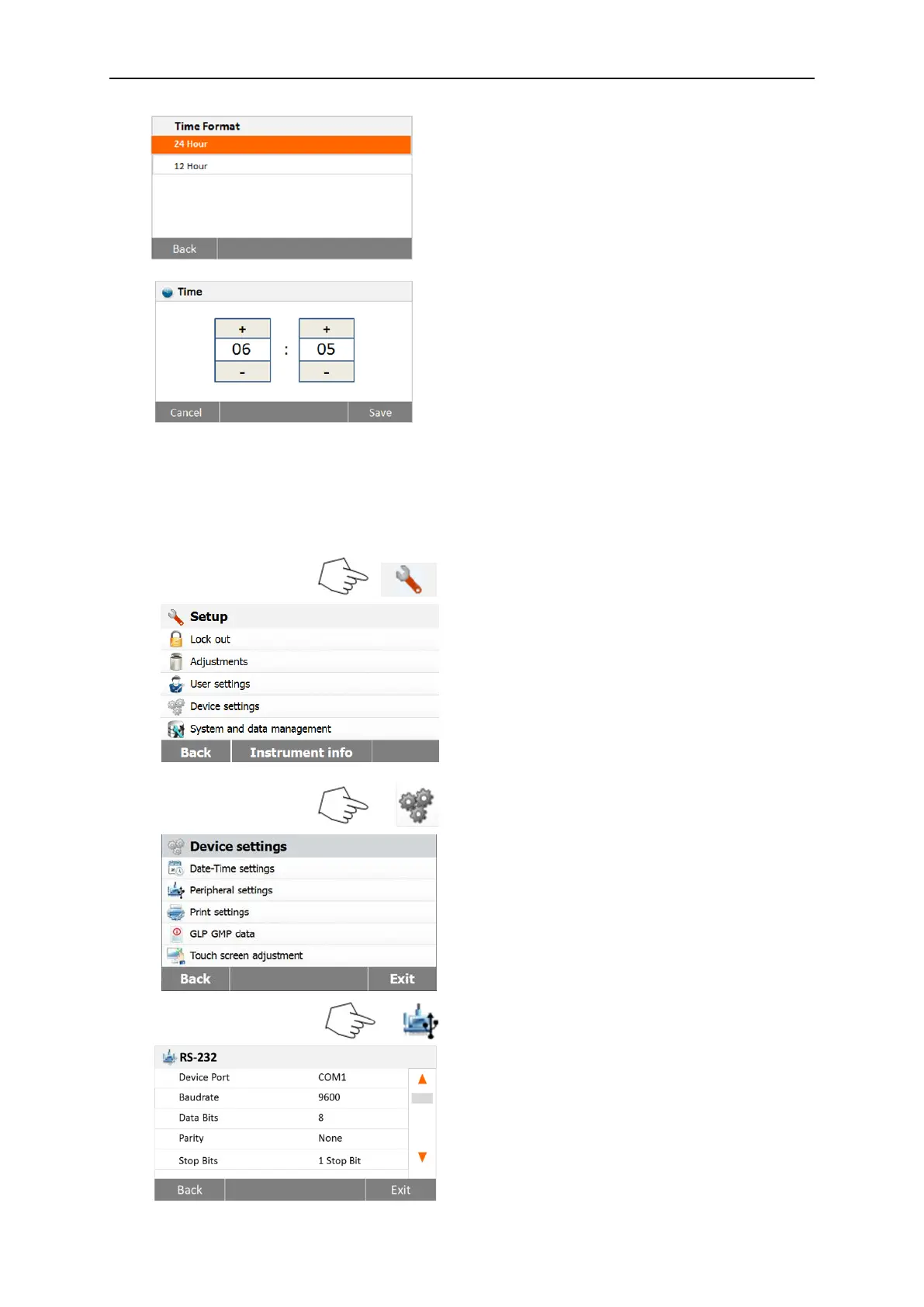
Set time.
Press +and – to set correct time.
6.4.2 Peripherals
This Moisture Analyzer is equipped with USB and RS232 compatible interfaces for
communication with USB storage devices, printers and computers.
The following sections describe the hardware and software provided with the Moisture
Analyzer.
Press Setup button to access the Setup
menu.
Press Back to return to Home screen.
Press Device settings button to access the
Device settings menu.
Press Back to return to previous screen.
Press Exit to return to Home screen.
Press Peripherals button.
Select the following items to set RS232 port
when RS232 port link to printer or other
RS232 compatible device.
Press Back to return to previous screen.
Press Exit to return to Home screen.



 To Next Page