MB95 EN-13
5. MENU
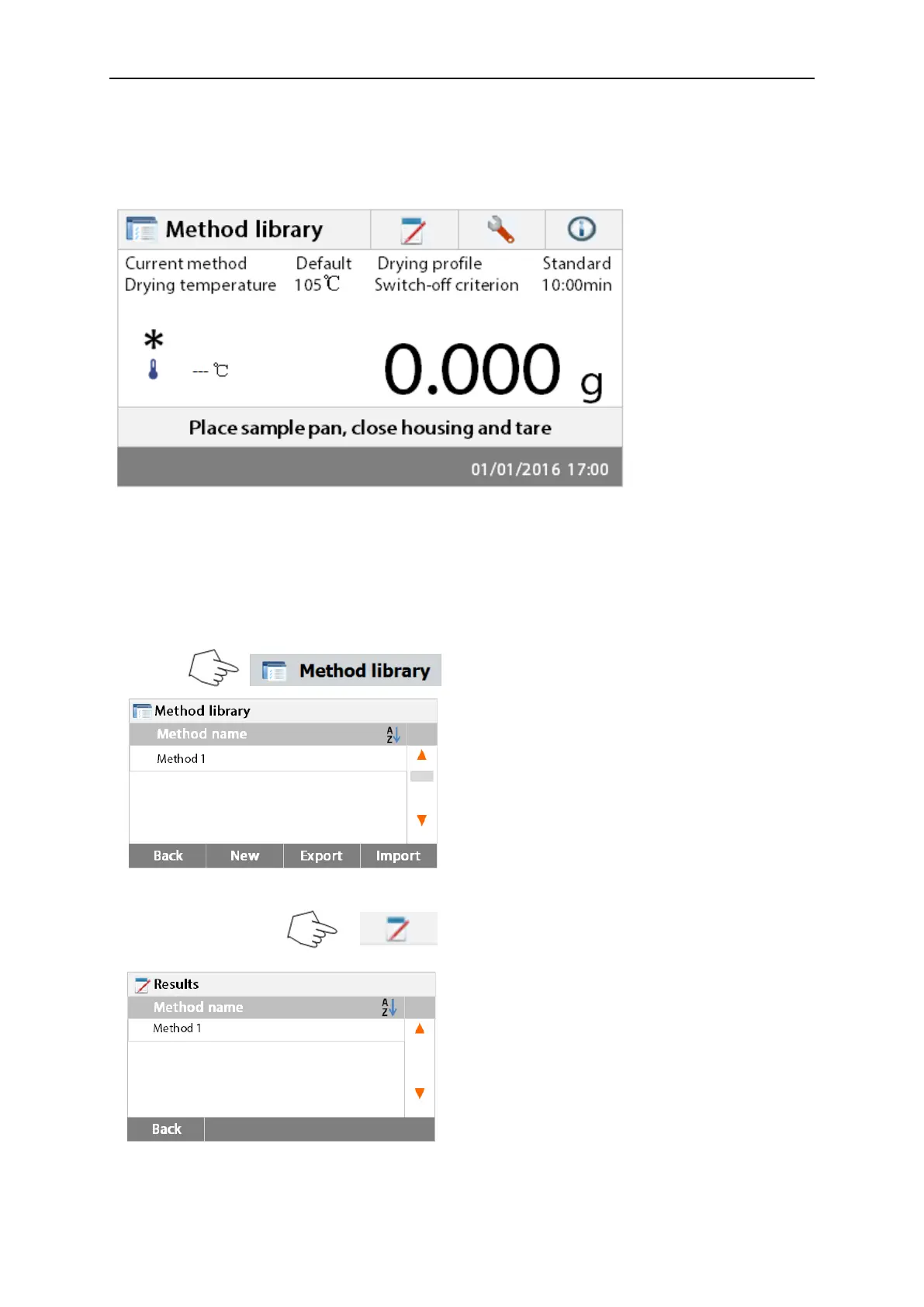
The Home screen appears after the moisture analyzer has been switched on.
1 2 3 4
Button area
Current Method
Results area
Instructions area
Date and time area
1. Method library: Change parameters and create new method.
2. Test results: Manage test results.
3. Setup: Change system settings.
4. Help information: Help information.
Method Library
Press the Method library button to access the
Method library menu.
The test library contains 20 methods. All
methods which were previously entered can be
recalled and the parameters for the recalled
method when selected will be repeated.
Press the Test results button to access the
test results menu.
The Test results contains up to 200 test
results. All results can be recalled, sorted and
displayed statistically.



 To Next Page