EN-46 MB95
11. CARE AND MAINTENANCE
In this section, you will learn how to keep your Moisture Analyzer in good condition and how
to replace consumable parts.
11.1 Cleaning Interior/Exterior Components
To continue to obtain precise measurements, it is advisable to clean the interior components
at regular intervals. Please note the following instructions for cleaning your instrument.
WARNING: Electric Shock Hazard. Disconnect the equipment
from the power supply before cleaning.
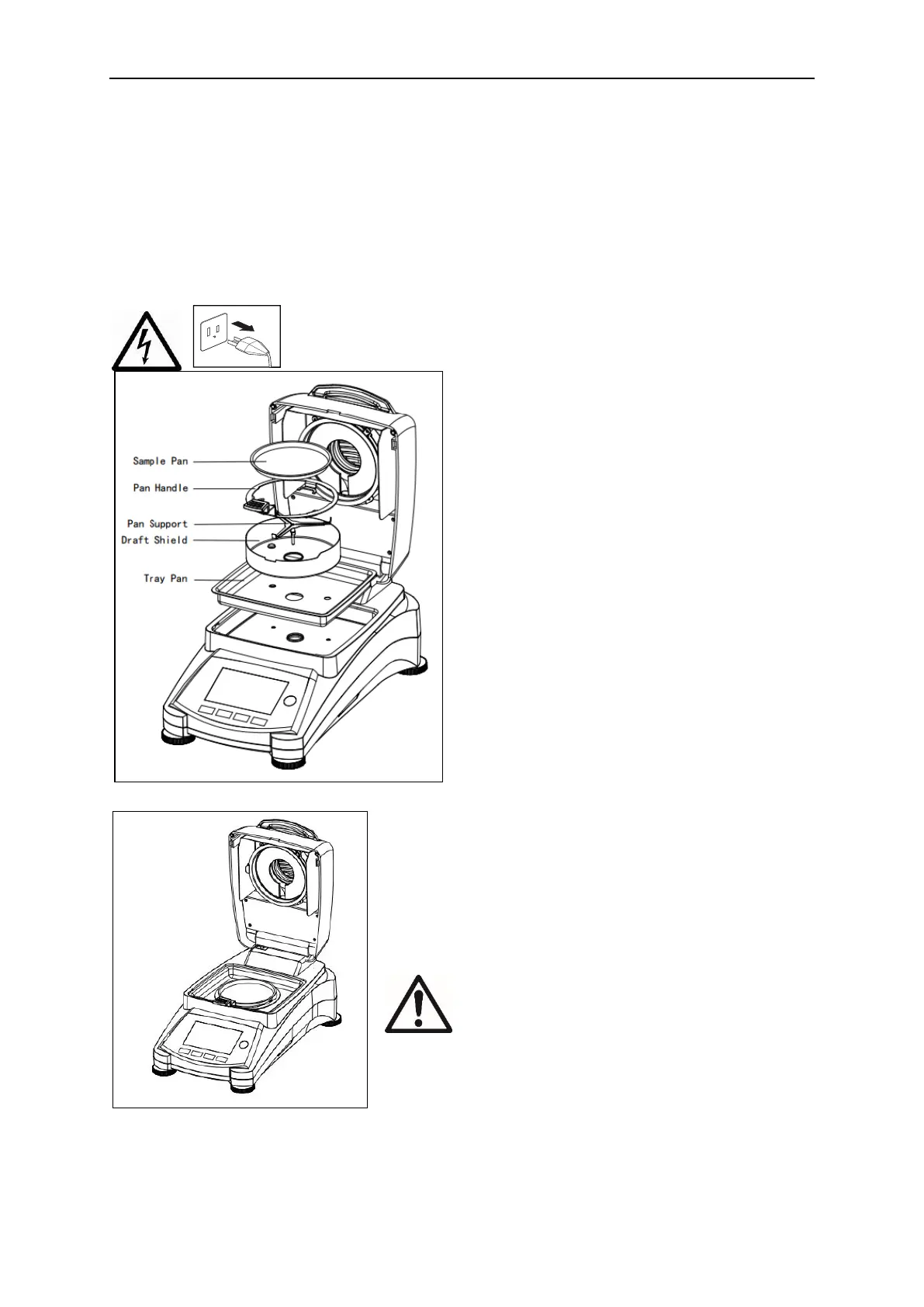
Open the cover and remove the pan handle,
sample pan, draft shield, and heat shield from
the instrument before cleaning.
Use a lint-free cloth for cleaning.
Clean the exterior of the instrument and the
drying compartment components with a mild
cleaning agent. Although the housing is
extremely rugged and resistant to solvents,
never use abrasive cleaning agents or
solvents!
Ensure that no liquid enters the interior of the
instrument.
Replace the components after cleaning.
Cleaning Temperature Sensor and Protective
Glass
Check the protective glass and the temperature sensor
for debris which could impede the operation. If the glass
appears dirty, clean the surface facing the compartment
using a commercial glass cleaner. If the sensor is dirty,
clean using a mild cleaning agent.
WARNING: Do not spray the glass cleaner
directly on the glass. Instead, spray it on a
cloth and use the cloth to clean.



 To Next Page