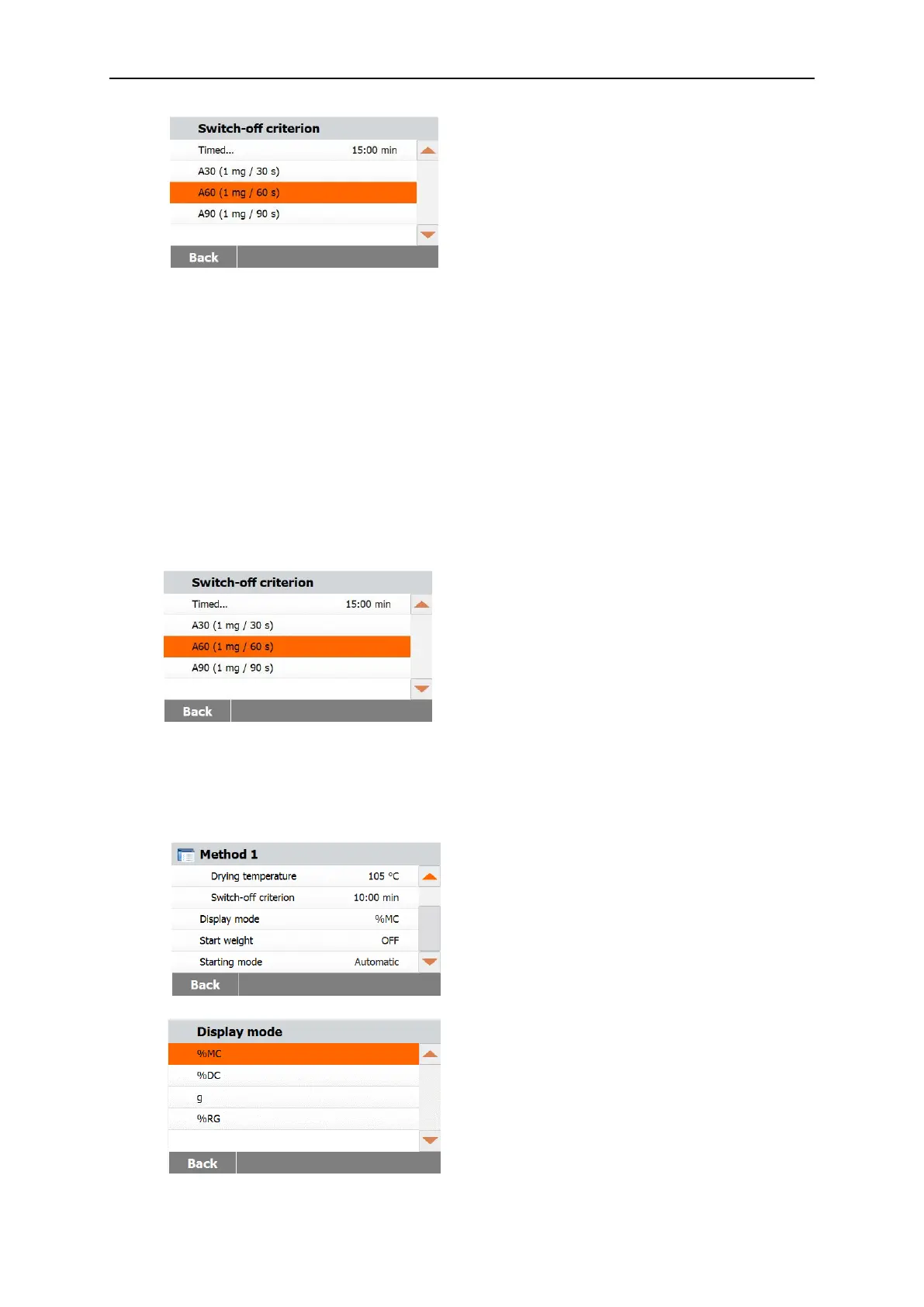
Timed switch-off
With this switch-off criterion selected, the
measurement lasts until the preset drying
time has elapsed (the display provides you
with continuous information on the drying
time).
Using the +/- buttons, enter the desired
drying time and press the OK button.
Auto switch-off
The switch-off criterion is based on a weight loss per unit of time. As soon as the mean
weight loss is less than a preset value during a specified time, the instrument considers
drying as complete and automatically discontinues the measurement process. During drying,
the display indicates the elapsed time of the drying process; the switch-off criterion is
inactive during the first 30 seconds.
The automatic switch-off criterion is divided into three selectable levels:
— A30: Less than 1mg loss in 30 seconds, used for samples which dry very quickly
(surface moisture) or for (relatively inaccurate) fast measurements to determine a trend.
— A60: Less than 1mg loss in 60 seconds, used for most types of samples.
— A90: Less than 1mg loss in 90 seconds, used for slow drying substances
(trapped moisture, skin formation).
Select the criterion for your measurements.
7.2.4 Display mode
Display mode (Display result) offers you the choice of whether your display indicates % MC, %
DC, % RG or grams during the measurement process.



 To Next Page