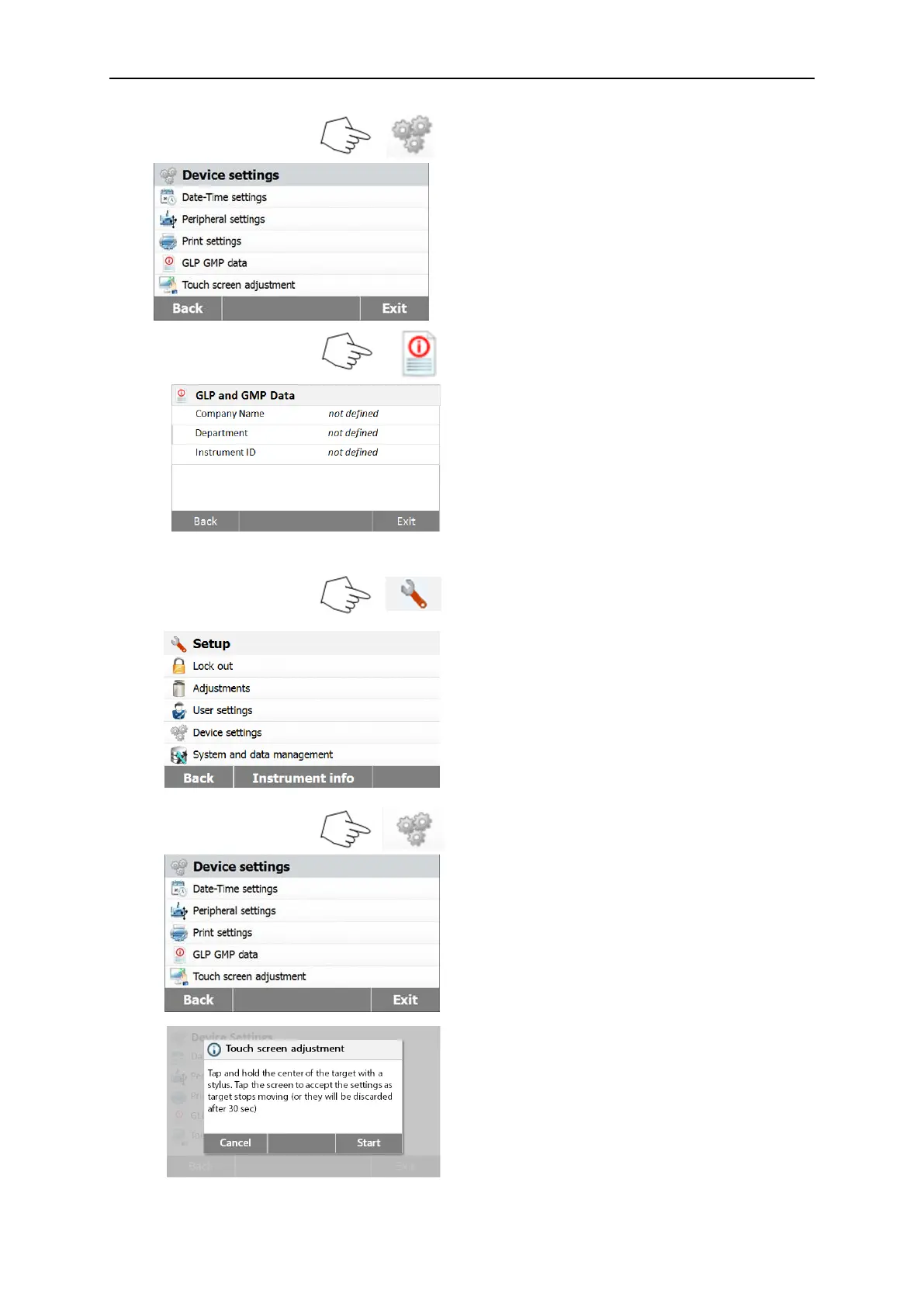
Press Device settings button to access the
Device menu settings.
Press Back to return to previous screen.
Press Exit to return to Home screen.
Press GLP and GMP Data to access the
GLP and GMP Data menu.
Press Back to return to previous screen.
Press Exit to return to Home screen.
Press Company name, Department or
Instrument ID buttons to define related
information.
6.4.5 Touch Screen Adjustment
Press Setup button to access Setup menu.
Press Back to return to Home screen.
Press Device settings to access the device
settings.
Press Touch screen adjustment to adjust
the touch screen.
Press the Start button to start the
adjustment.



 To Next Page