Maintenance > 124
toner cartridge at this time unless the remaining toner
level is very low.)
Ton er In O ut.ep s
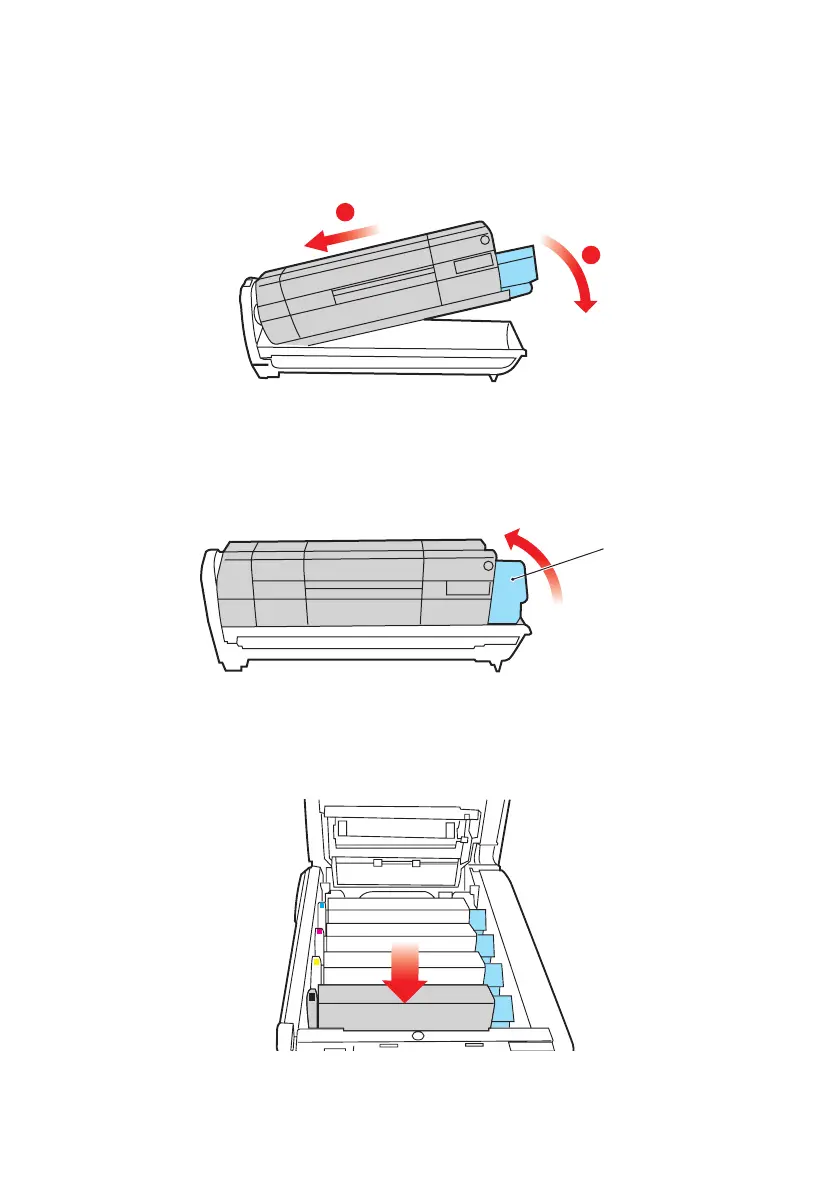
10. Push the colored release lever (1) away from you to lock
the toner cartridge onto the new image drum unit and
release toner into it.
Ton er Clo se Out .eps
11. Holding the complete assembly by its top center, lower it
into place in the MFP, locating the pegs at each end into
their slots in the sides of the MFP cavity.
ID Lower In.eps
2
1
1



 To Next Page