- 58 -
2. Setting Up
3
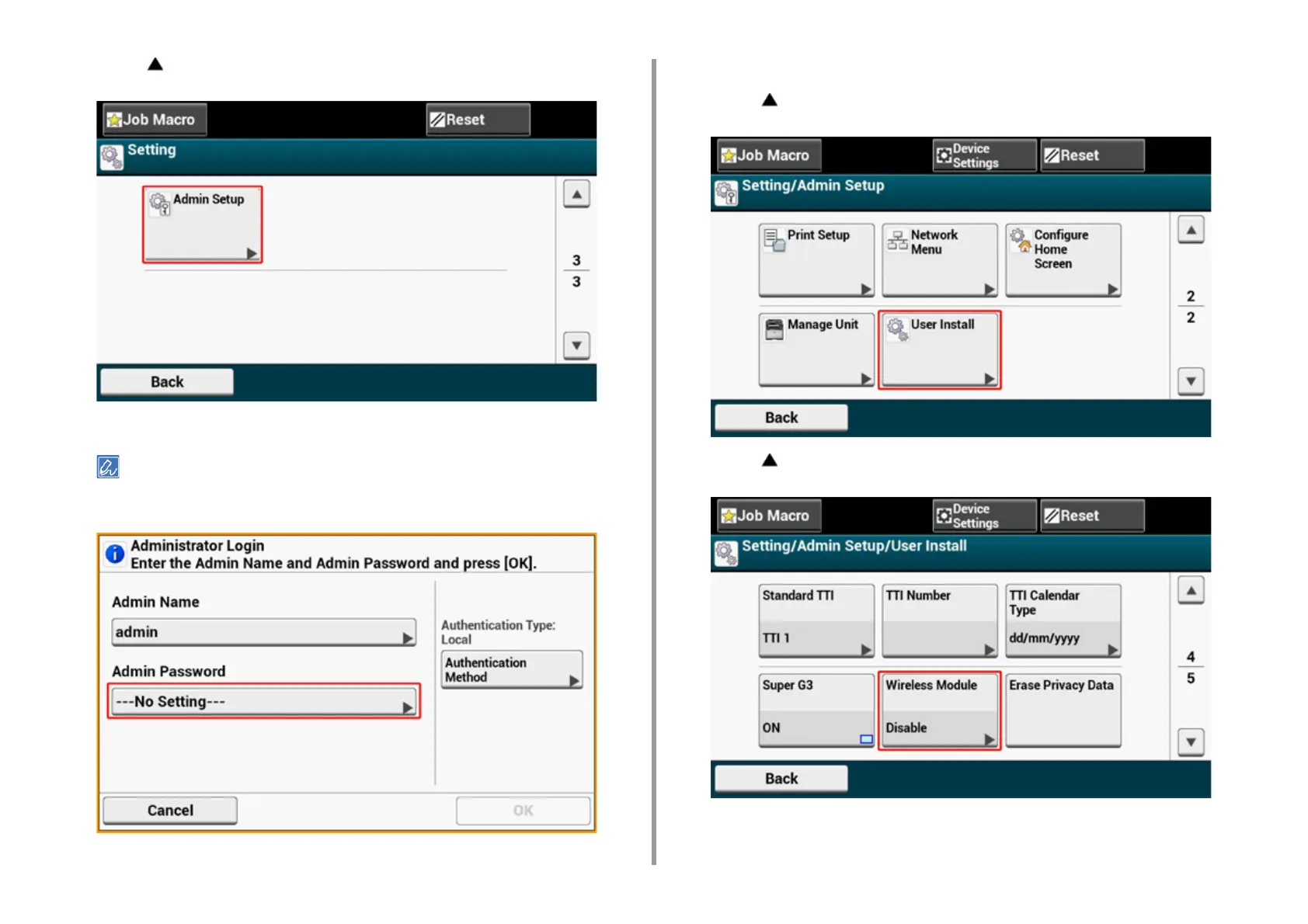
Press [ ] once and press [Admin Setup].
4
Enter the administrator password, and then press [OK].
The factory default administrator name and password are "admin" and "999999" respectively. If the administrator
password is changed in Easy Setup, enter the updated password.
5
On the administrator login screen, press [OK].
6
Press [ ] once and press [User Install].
7
Press [ ] once and press [Wireless Module].



 To Next Page