- 62 -
2. Setting Up
13
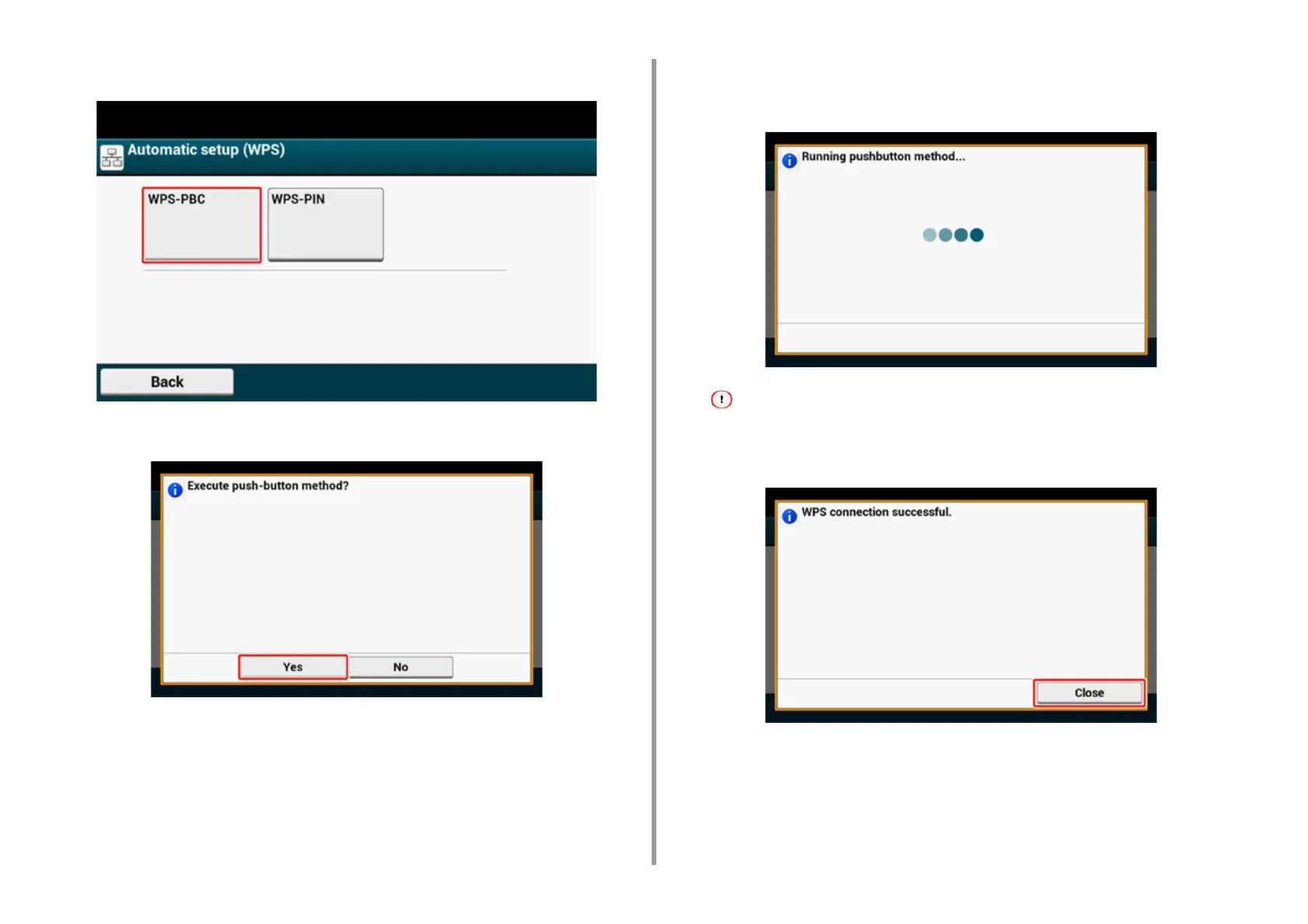
Press [WPS-PBC].
14
Press [Yes].
The machine starts searching for wireless LAN access points. The following screen is
displayed for approximately 2 minutes, during which press and hold the WPS button for
the wireless LAN access point for a few seconds.
You cannot operate the panel when WPS is in progress.
When the following screen is displayed, press [Close].



 To Next Page