Appendix A - Moving and transporting > 170
A
PPENDIX
A - M
OVING
AND
TRANSPORTING
M
OVING
YOUR
MFP
1. Enable mirror carriage transfer mode:
(a) Press the SETUP button on the control panel.
(b) On the touch screen, press Admin Setup.
(c) Enter the administrator password and press Enter.
(d) Press User Install.
(e) Press the arrow symbol twice to view page 3 of the User Install screen.
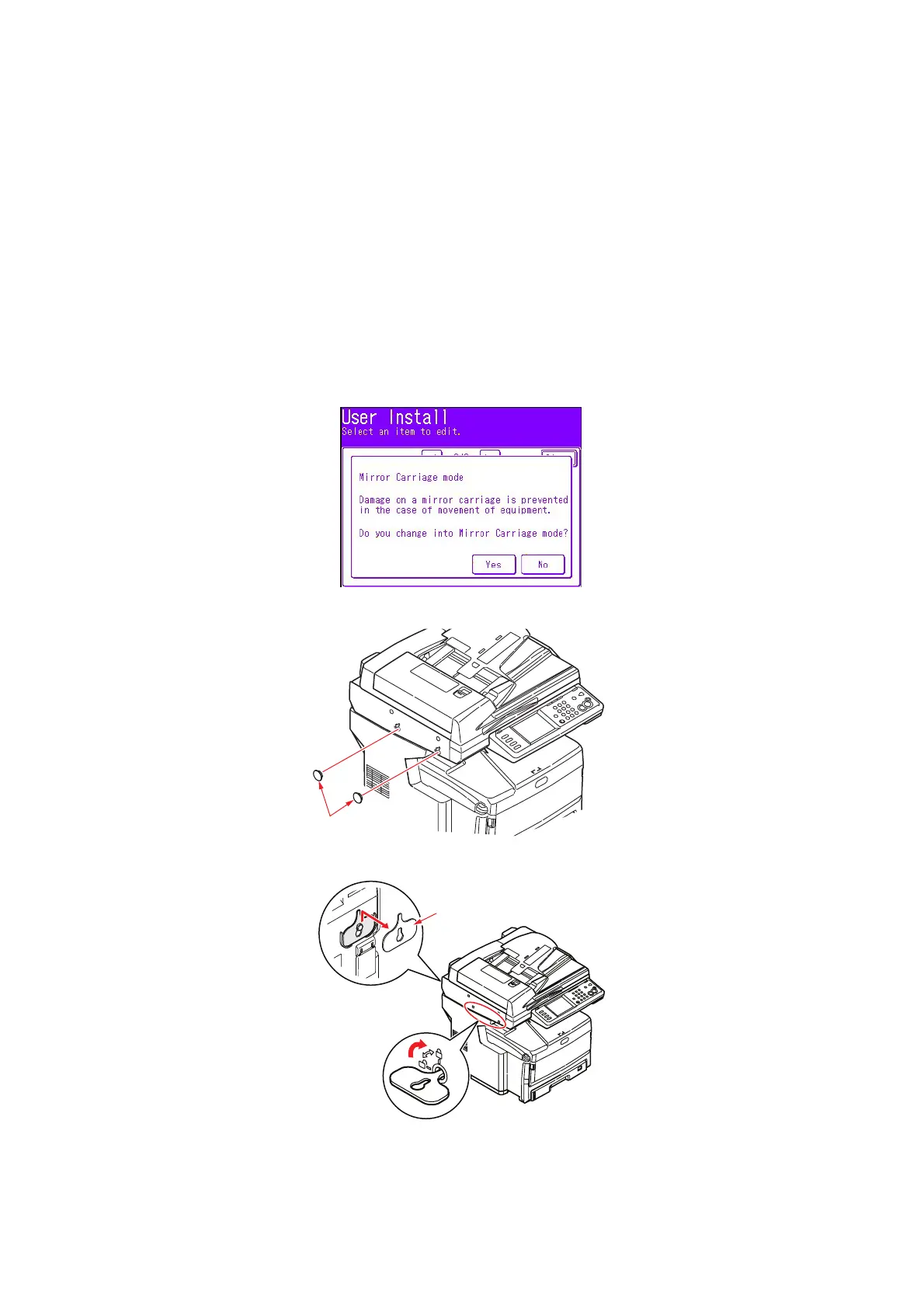
(f) Press Mirror Carriage mode.
(g) At the prompt, press Yes to confirm.
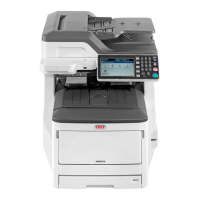
(h) If necessary, remove plugs (1) from the scanner lock locations as shown.
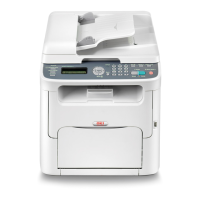
(i) Using the tool provided (2), lock the scanner at the two locations as shown.
1
2



 To Next Page