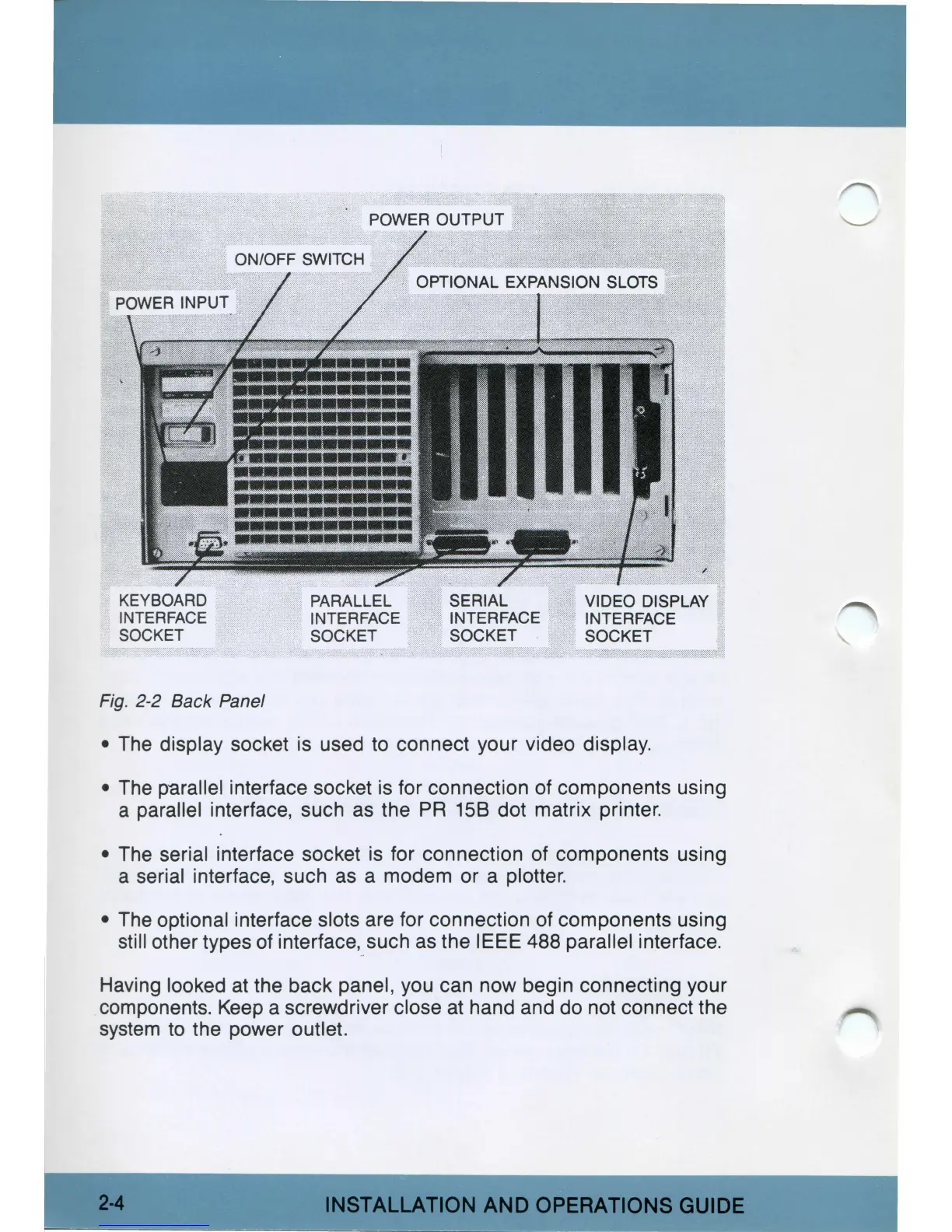
Fig.
2-2 Back Panel
• The display socket
is
used
to
connect your video display.
•
The
parallel interface socket
is
for connection of components using
a parallel interface, such
as
the
PR
158 dot matrix printer.
•
The
serial interface socket
is
for connection of components using
a serial interface, such
as
a modem or a plotter.
• The optional interface slots are for connection of components using
still other types of interface,
such
as
the IEEE 488 parallel interface.
Having looked
at
the back panel, you can now begin connecting your
components.
Keep
a screwdriver close
at
hand and do not connect the
system
to
the power outlet.
INSTALLATION
AND
OPERATIONS
GUIDE



 To Next Page