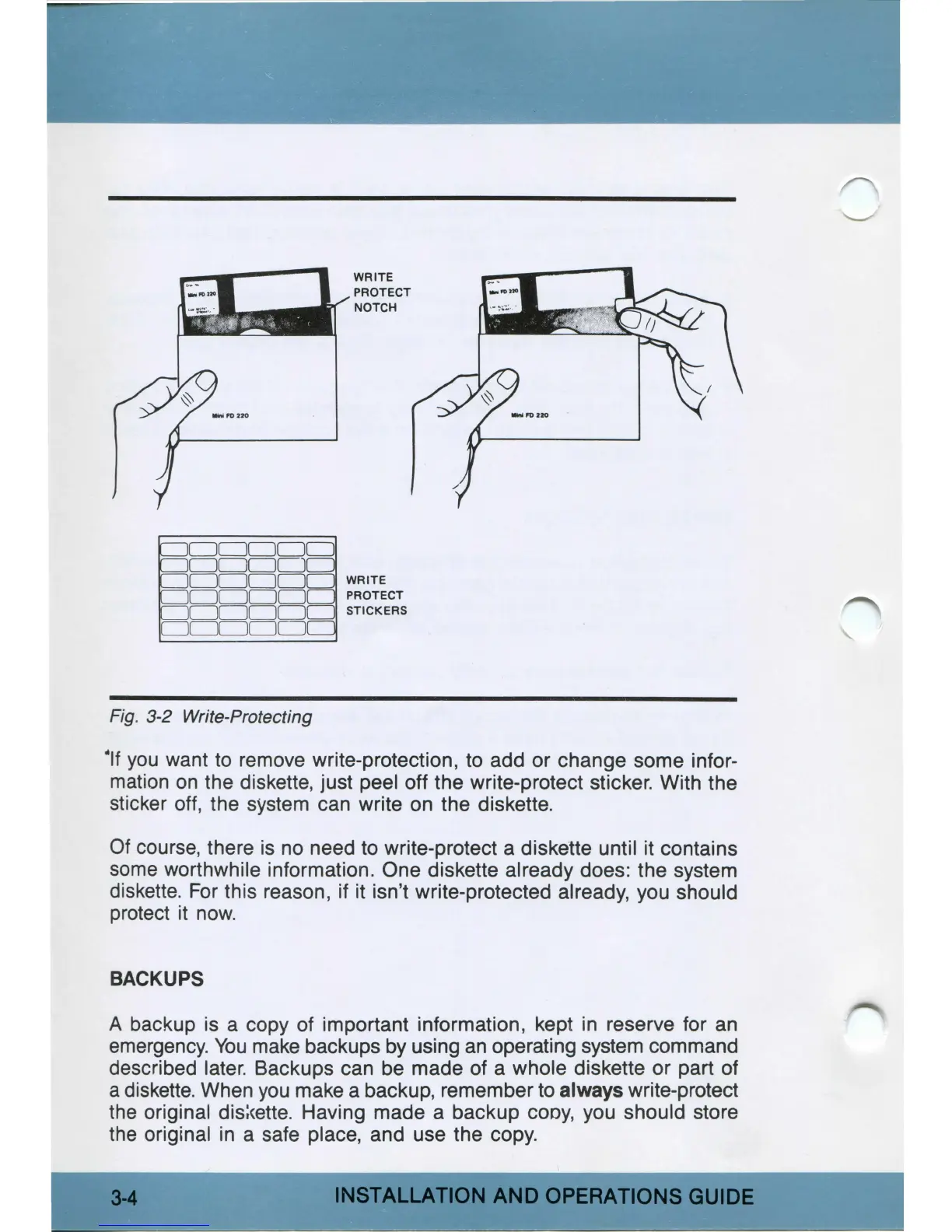
Fig. 3-2 Write-Protecting
WRITE
PROTECT
NOTCH
WRITE
PROTECT
STICKERS
•11
you
want to remove write-protection, to add or change some infor-
mation
on
the diskette, just peel off the write-protect sticker. With the
sticker off, the system can write on the diskette.
Of
course, there
is
no need to write-protect a diskette until it contains
some worthwhile information. One diskette already does: the system
diskette.
For
this reason, if it isn't write-protected already, you should
protect
it
now.
BACKUPS
A backup
is
a copy of important information, kept
in
reserve for
an
emergency.
You
make backups by using
an
operating system command
described later. Backups can be made of a whole diskette or part of
a diskette. When
you
make a backup, remember to
always
write-protect
the original
dis:cette.
Having made a backup cooy, you should store
the original
in
a safe place, and use the copy.
INSTALLATION
AND
OPERATIONS
GUIDE



 To Next Page