INSTALLATION
AND
CARE
OF
YOUR
SYSTEM
5. Insert the female plug of the power cable into the upper socket
on
the rear qf the video display.
6. Insert the male power plug into the power output socket
on
the
back panel of the basic module.
CONNECTING A KEYBOARD
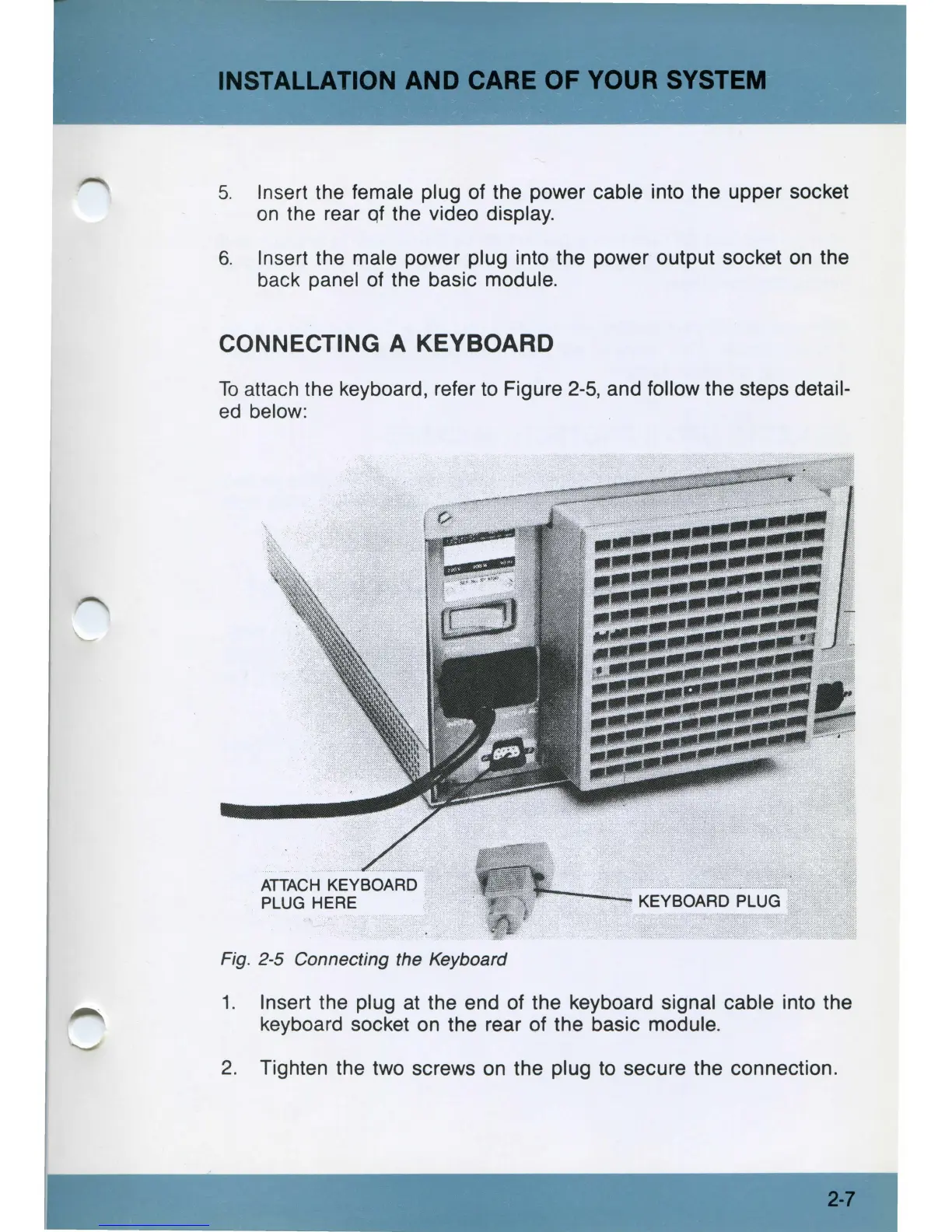
To
attach the keyboard, refer
to
Figure
2-5,
and follow the steps detail-
ed
below:
ATTACH
KEYBOARD
PLUG HERE
Fig. 2-5 Connecting the Keyboard
1. Insert the plug at the end of the keyboard signal cable into the
keyboard socket
on
the rear of the basic module.
2.
Tighten the two screws
on
the plug
to
secure the connection.
2-7



 To Next Page