GETTING
STARTED
MULTI-CHARACTER KEYS
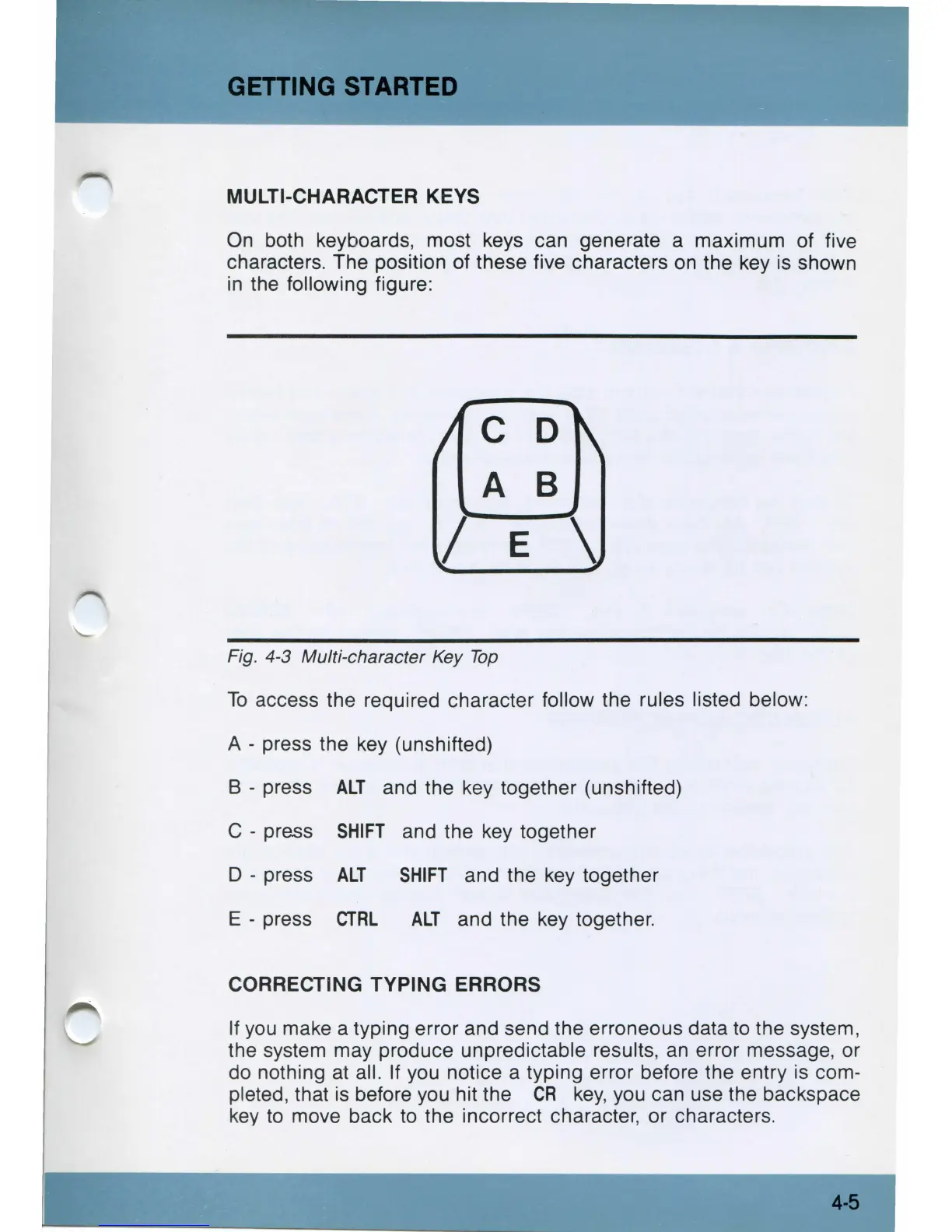
On both keyboards, most keys can generate a maximum of five
characters. The position of these five characters
on
the key is shown
in
the following figure:
C D
A B
/ E \
Fig. 4-3 Multi-character Key
Top
To
access the required character follow the rules listed below:
A - press the key (unshifted)
B - press
ALT
and the key together (unshifted)
C - press
SHIFT
and the key together
D - press
ALT
SHIFT
and the key together
E - press
CTRL
ALT
and the key together.
CORRECTING TYPING ERRORS
If
you
make a typing error and send the erroneous data
to
the system,
the system may produce unpredictable results,
an
error message, or
do nothing at all.
If
you notice a typing error before the entry is com-
pleted, that is before you hit the
CR
key,
you can use the backspace
key
to
move back to the incorrect character, or characters.
4-5



 To Next Page