CONNECTING A COLOR VIDEO DISPLAY
The
color video display
is
connected
by
means of a power cable and
a signal cable. The power cable has a male plug
at
one end and a
female plug
at
the other. The signal cable has
an
interface plug at one
end
and
a signal plug
at
the other.
To
connect the color video display,
refer
to
Figures
2-2
and
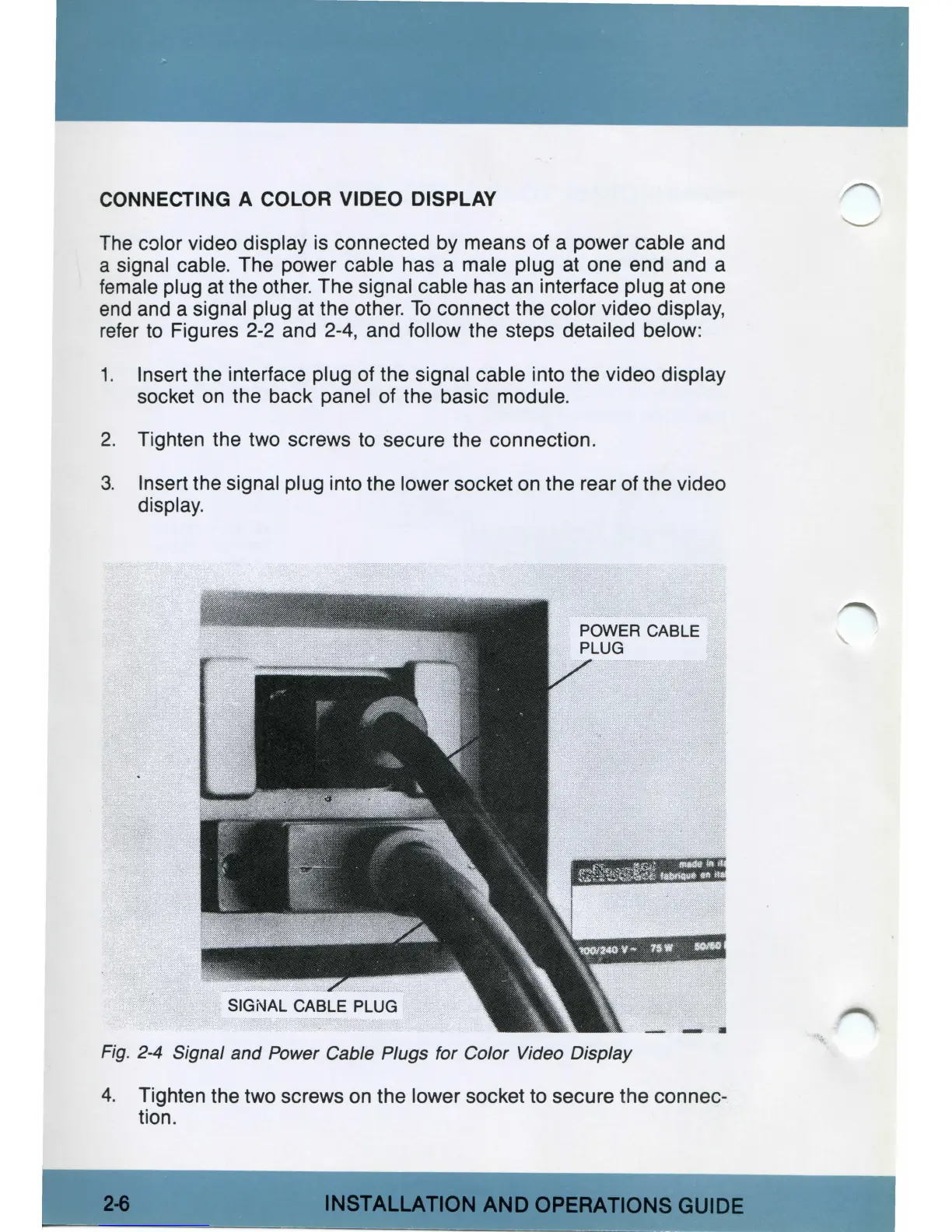
2-4,
and follow the steps detailed below:
1. Insert the interface plug of the signal cable into the video display
socket
on
the back panel of the basic module.
2.
Tighten the two screws
to
secure the connection.
3. Insert the signal plug into the lower socket
on
the rear of the video
display.
Fig. 2-4 Signal and Power Cable Plugs for Color Video Display
4.
Tighten the two screws
on
the lower socket to secure the connec-
tion.
INSTALLATION
AND
OPERATIONS
GUIDE



 To Next Page