GETTING
STARTED
Hardware Reset
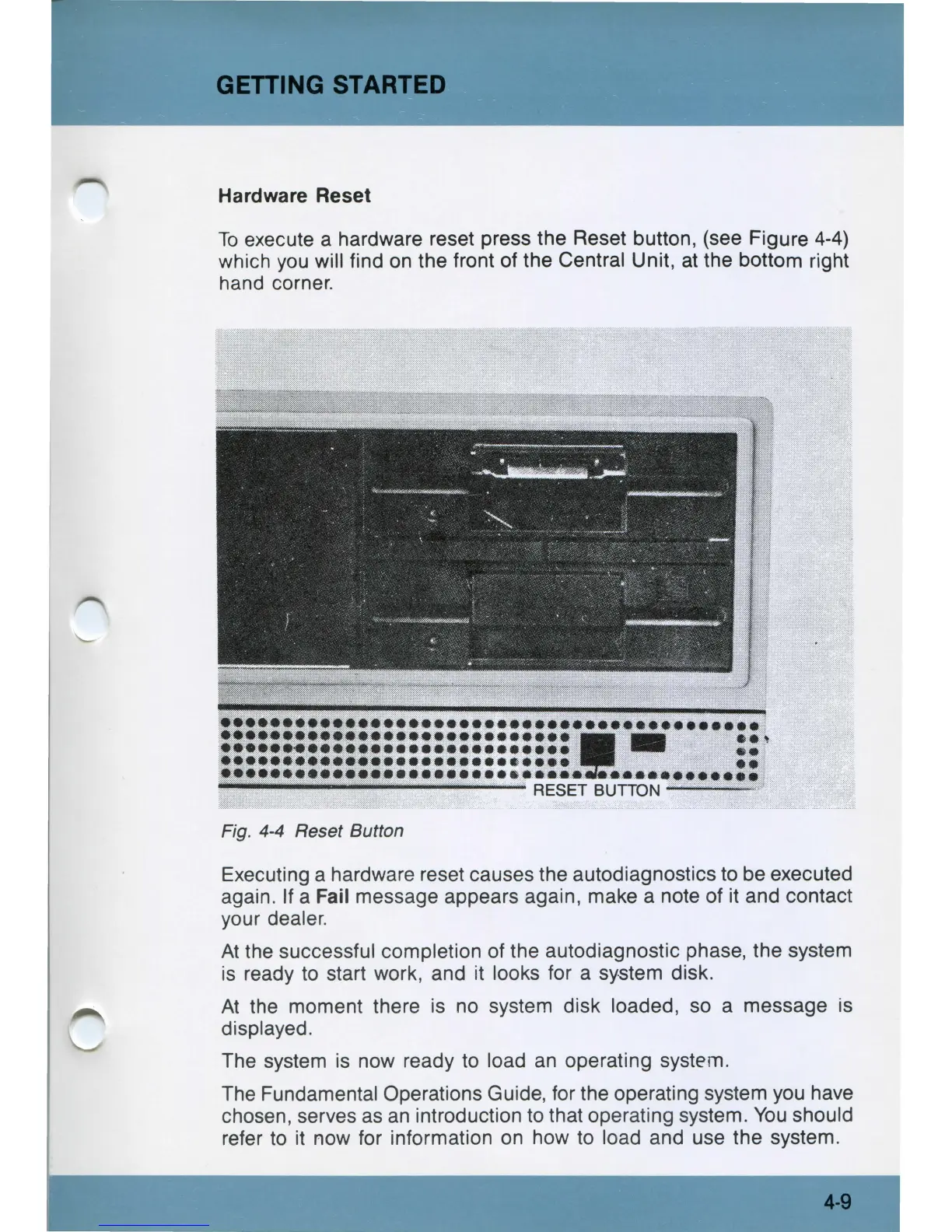
To
execute a hardware reset press the Reset button, (see Figure
4-4)
which
you
will find
on
the front of the Central Unit,
at
the bottom right
hand corner.
Fig.
4-4
Reset Button
Executing a hardware reset causes the autodiagnostics
to
be executed
again. If a Fail message appears again, make a note of it and contact
your dealer.
At
the successful completion of the autodiagnostic phase, the system
is
ready
to
start work, and it looks for a system disk.
At
the moment there
is
no
system disk loaded, so a message
is
displayed.
The system
is
now ready
to
load
an
operating system.
The Fundamental Operations Guide,
for
the operating system you have
chosen, serves
as
an
introduction
to
that operating system.
You
should
refer
to
it
now for information
on
how
to
load and use the system.
4-9



 To Next Page