4-32 Epson TM-U950 Commands
- A user-defined character and a downloaded bit image cannot be defined simultaneously.
When this command is executed, the user-defined character is cleared.
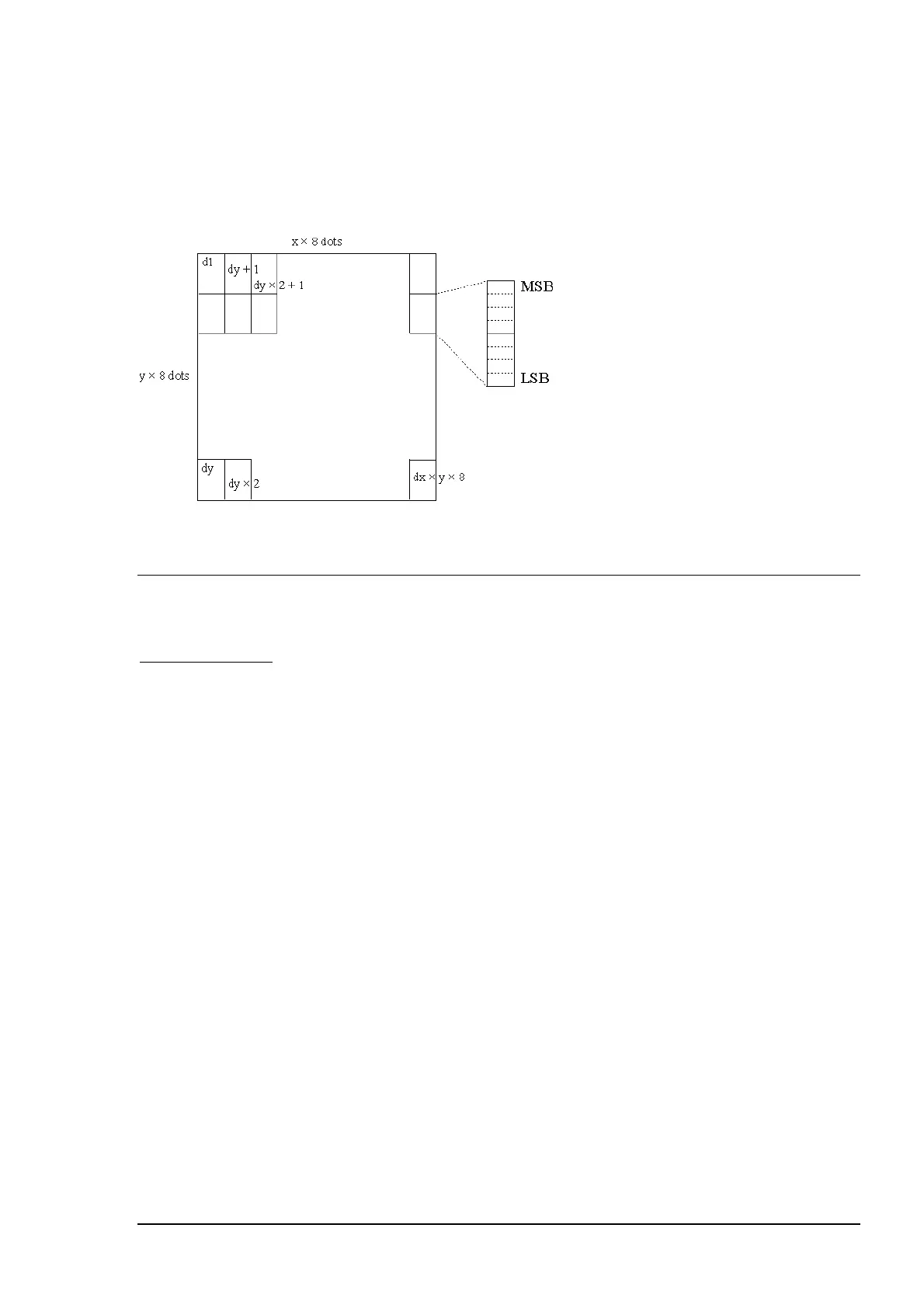
- The figure below shows the relationship between the bit-image data and dots to be defined:
References:
GS /
GS / m
Print downloaded bit-image
Hexadecimal code: 1D 2F m
Range:
m = 0, 1, 48, 49
Prints a downloaded bit image in mode m.
m Horizontal Direction Maximum number of dots
Dot Density Adjacent dots Paper roll Slip
0, 48 Single density Permitted 180 400
1, 49 Double Density Prohibited 360 800
Notes:
-
Divide the number of dots to be printed by 256. The integer answer is nH and the
remainder is nL. Therefore, the number of dots in the horizontal direction is calculated by
nL + 256 x nH.
- Command ignored if data exists in the print buffer or no downloaded bit image has been
defined.
- If a downloaded bit image to be printed exceeds one line, the excess data is not printed.
- A user-defined character and a downloaded bit image cannot be defined for the same
character code.
References:
GS *















 To Next Page