Operation 5/621/6400 (04)
16
■ Department price override
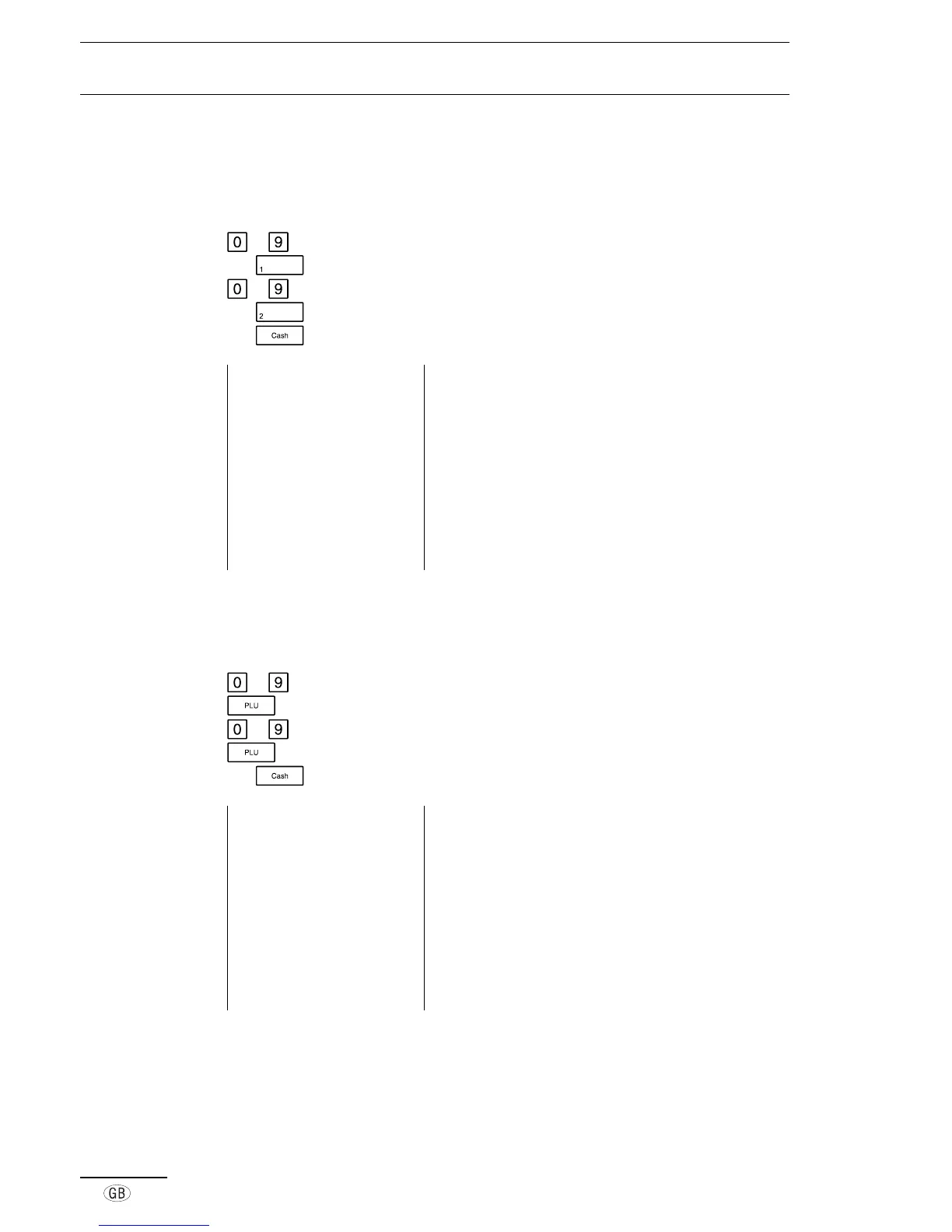
It is possible to manually enter a price which differs from the price programmed for a
department (Price Override). The programmed department price remains unchanged.
to Enter the amount
e.g.
Press the required department key
to Enter the amount
e.g.
Press the required department key
e.g.
Press the relevant tender key
Example printout 14-04-2000 Date
09-25 0018 Time, Receipt no.
·01 100·00* Dept. 01, registered price, including tax
·02 200·00* Dept. 02, registered price, including tax
13·79TX 1 Amount of tax 1 included
86·21 TA Amount taxed
13·08TX 2 Amount of tax 2 included
186·92 TA Amount taxed
300·00ST Subtotal of registration
300·00CA Cash payment
■ PLU registration
Amounts can be registered by using the PLU key.
to Enter the required PLU number
PLU number and price are printed
to Enter the required PLU number
PLU number and price are printed
e.g. Press the relevant tender key
Example printout 29-03-2000 Date
12-45 0004 Time, Receipt no.
001 5·00* PLU 001, registered price including tax
002 100·00* PLU 002, registered price including tax
0·69TX 1 Amount of tax 1 included
4·31 TA Amount taxed
13·79TX 2 Amount of tax 2 included
86·21 TA Amount taxed
105·00ST Subtotal of registration
105·00CA Cash payment



 To Next Page