5/621/6400 (04) Operation
17
■ PLU price override
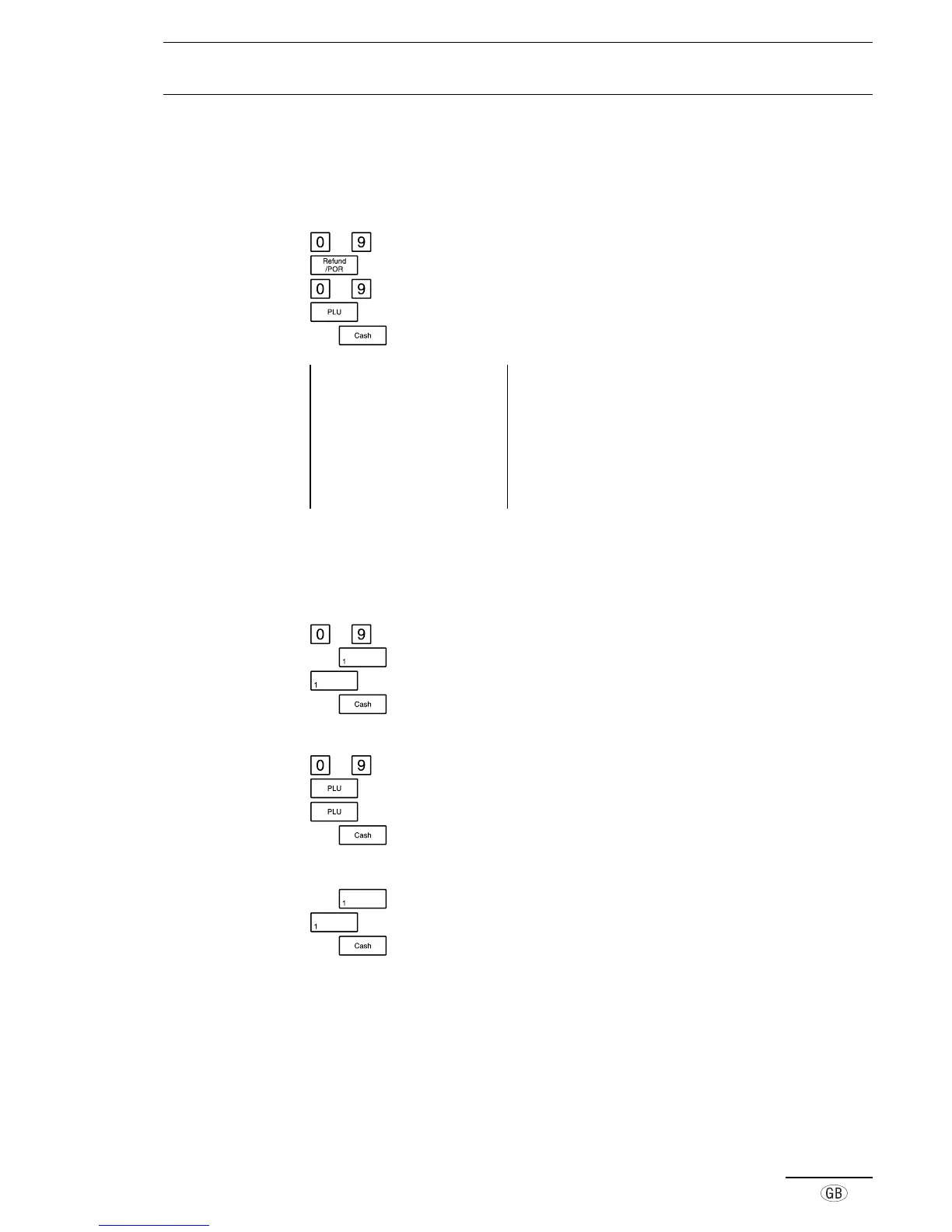
By using the POR key, it is possible to override an amount for a PLU which is different
from the programmed price. The PLU price remains unchanged.
to Enter the price
Initiate the PLU override
to Enter the required PLU number
PLU number and overriding price are printed
e.g.
Press the relevant tender key
Example printout 14-04-2000 Date
09-34 0020 Time, Receipt no.
001 12·00* PLU 001, overriding price, including tax
1·66TX 1 Amount of tax 1 included
10·34 TA Amount taxed
12·00ST Subtotal of registration
12·00CA Cash payment
■ Repeated PLU registration
Repetition of registrations can be performed after entering amounts, PLUs and
departments.
to Enter the amount
e.g. Press the required department key
Repeat the entry
e.g.
Press the relevant tender key
or
to Enter the required PLU number
PLU number and price appear
Repeat the entry
e.g. Press the relevant tender key
or
e.g.
Press the required department key
Repeat the entry
e.g.
Press the relevant tender key



 To Next Page