5/621/6400 (04) Starting up
7
■ Printer
Caution: Observe the following information to ensure long, trouble-free operation:
-Never
- print when no paper is inserted.
- pull the paper when the printer is in operation.
- use poor quality paper or ink rollers.
- use used paper rolls a second time.
- manipulate the printer mechanism with hard objects or move by hand.
-Pay attention to the end of paper markings. Change the paper roll immediately.
-Have the cash register/printer serviced regularly by an authorized service center.
-Change the ink roller when the print quality starts to deteriorate.
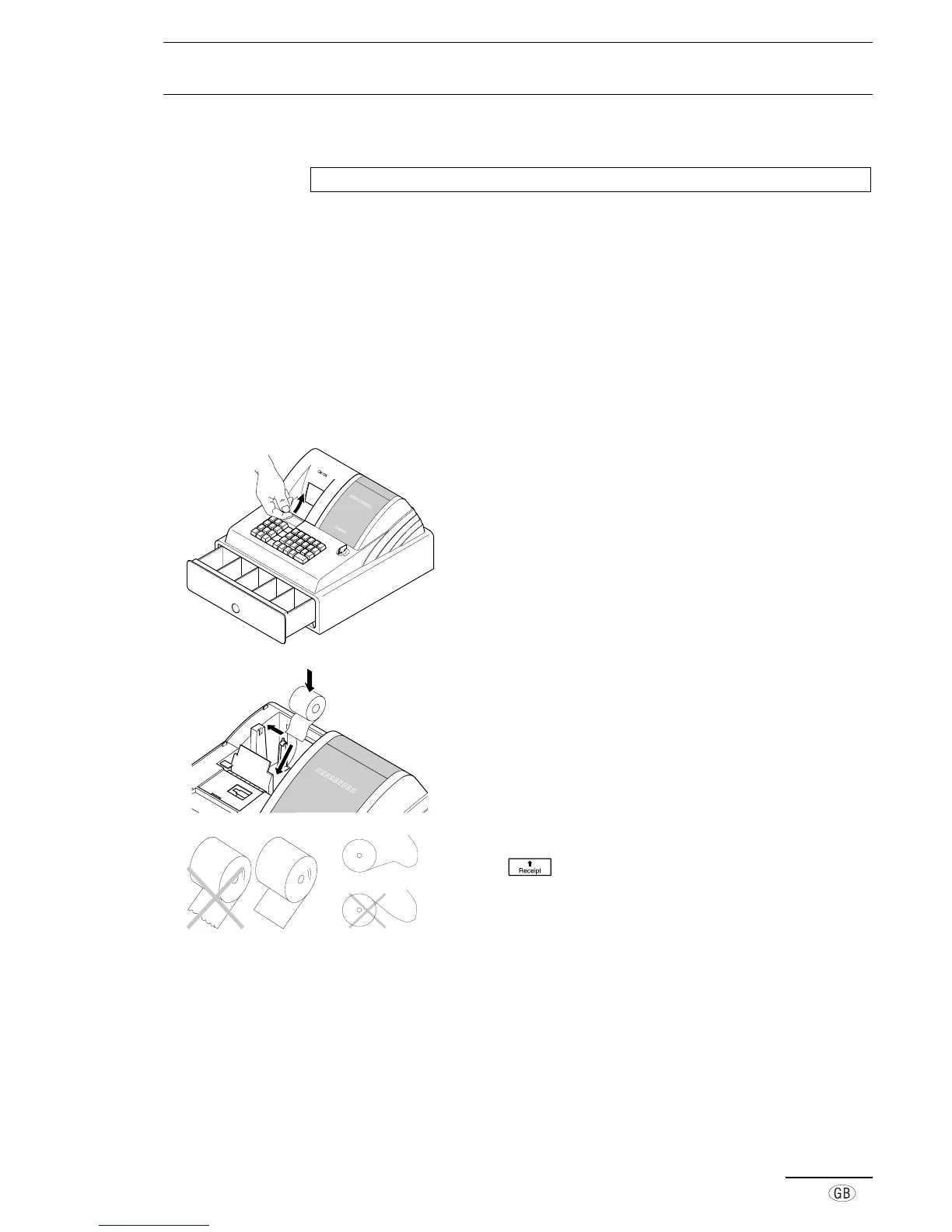
■ Insert paper roll
1. Open the printer lid.
2. Turn the key-operated switch to R.
3. Insert the paper roll (58 mm width) for the receipt in the
paper holder. Bend the roll support a little to the left. The
end of the paper roll must be at the bottom.
4. Feed the end of the paper, cut straight, in the printer and
press
. Depending on the method of use, feed the
paper past the tear-off edge on the printer lid or onto the
paper take-up reel.
5. Close the printer lid.



 To Next Page