5/621/6400 (04) Operation
19
■ Change computation
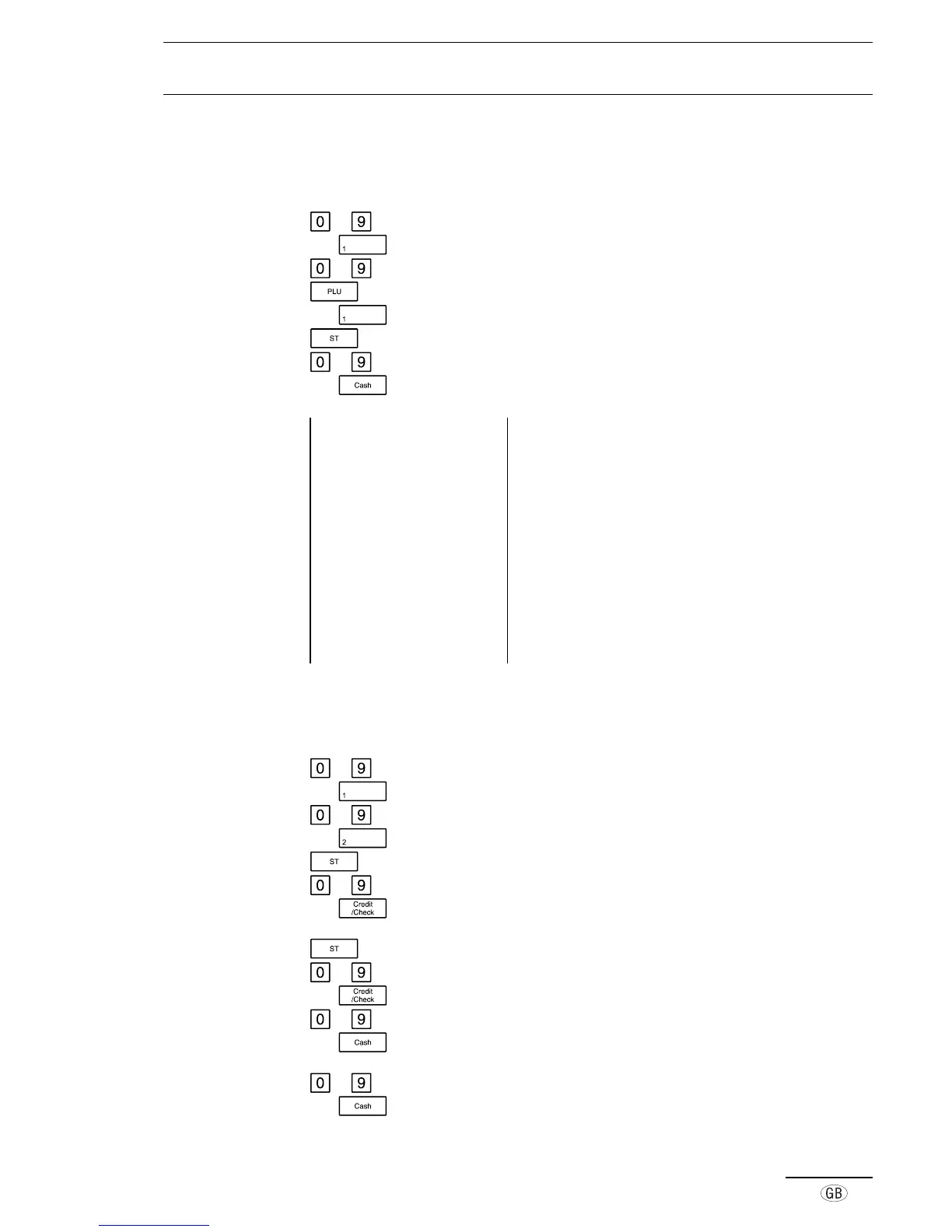
The amount paid by the customer can be entered using the numeric keys. The amount
of change is then calculated and displayed.
to Enter the amount required
e.g. Press the required department key
to Enter the relevant PLU
PLU number and price are printed
e.g. Press the required department key
Subtotal
to Enter the amount tendered
e.g. Amount is displayed and the cash drawer opens
Example printout 29-03-2000 Date
12-54 0006 Time, Receipt no.
·01 6·50* Dept. 01, registered amount, including tax
001 12·00* PLU 001, registered fixed price, including tax
·01 20·00* Dept. 01, registered amount, including tax
3·66TX 1 Amount of tax 1 included
22·84 TA Amount taxed
1·66TX 2 Amount of tax 2 included
10·84 TA Amount taxed
38·50ST Subtotal of registration
50·00CA Amount tendered (Cash Tender key)
-11·50CG Change due
■ Registration of different types of payment
It is possible to receive payment by means of check, credit-card or cash.
to Enter the amount
e.g. Press the required department key
to Enter the amount
e.g.
Press the required department key
Press the Subtotal key
to Enter the amount tendered
e.g.
Press the relevant tender key
or
Press the Subtotal key
to Enter the part payment
e.g. Press the relevant tender key
to Enter the amount tendered
e.g.
Press the relevant tender key
or
to Enter the amount tendered
e.g. Press the relevant tender key



 To Next Page