79
5
Playback
Editing still pictures
This function lets you edit still pictures and store them as new pictures.
The following editing operations are possible.
BLACK&WHITE : Converts pictures into black and white pictures and
stores them as new pictures.
SEPIA : Converts pictures into sepia-toned pictures and stores
them as new pictures.
: Changes the picture size to 640 x 480 or 320 x 240 and
stores the picture as a new picture.
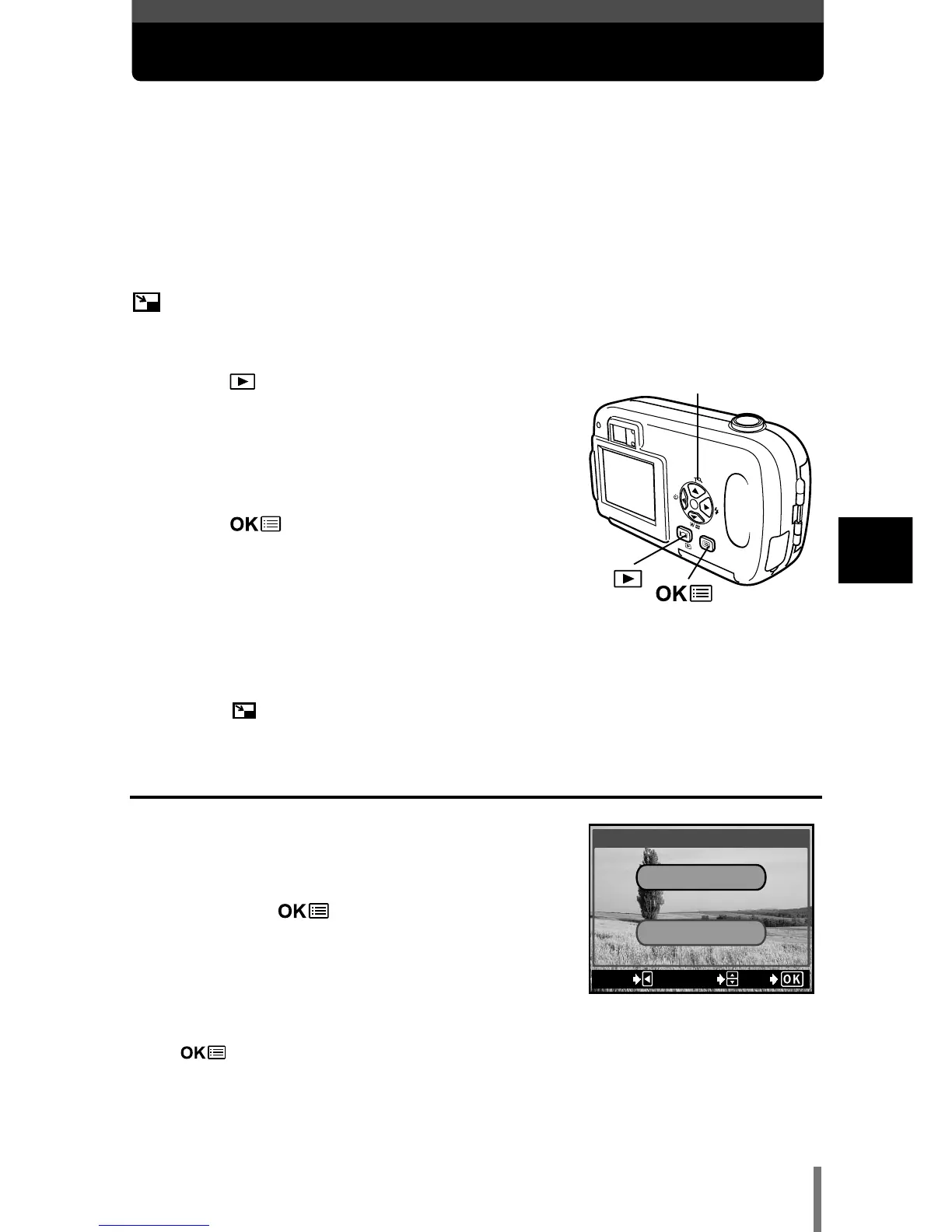
1 Press with the lens barrier closed.
• The monitor turns on.
2 Use the arrow pad to display the still
picture you want to edit.
~
“Viewing still pictures” (P. 67)
3 Press .
• The top menu is displayed.
4 In the top menu, select MODE MENU T
EDIT, then choose each item.
~
“How to use the mode menu” (P. 30)
• Select BLACK&WHITE (See below).
• Select SEPIA
~ P. 8 0
• Select
~ P. 8 0
Creating black and white pictures
5 Select BLACK&WHITE, then press í.
6 Press Ññ to select BLACK&WHITE,
then press .
• The BUSY bar is displayed, then the camera
returns to the playback mode. The black and white
picture is stored as a separate picture from the
original.
• To cancel the editing, select CANCEL and press
.







 To Next Page