80
5
Playback
Editing still pictures
• You cannot create black and white movies.
• You cannot create a black and white picture if there is insufficient
memory space on the card.
Creating sepia-toned pictures
5 Select SEPIA, then press í.
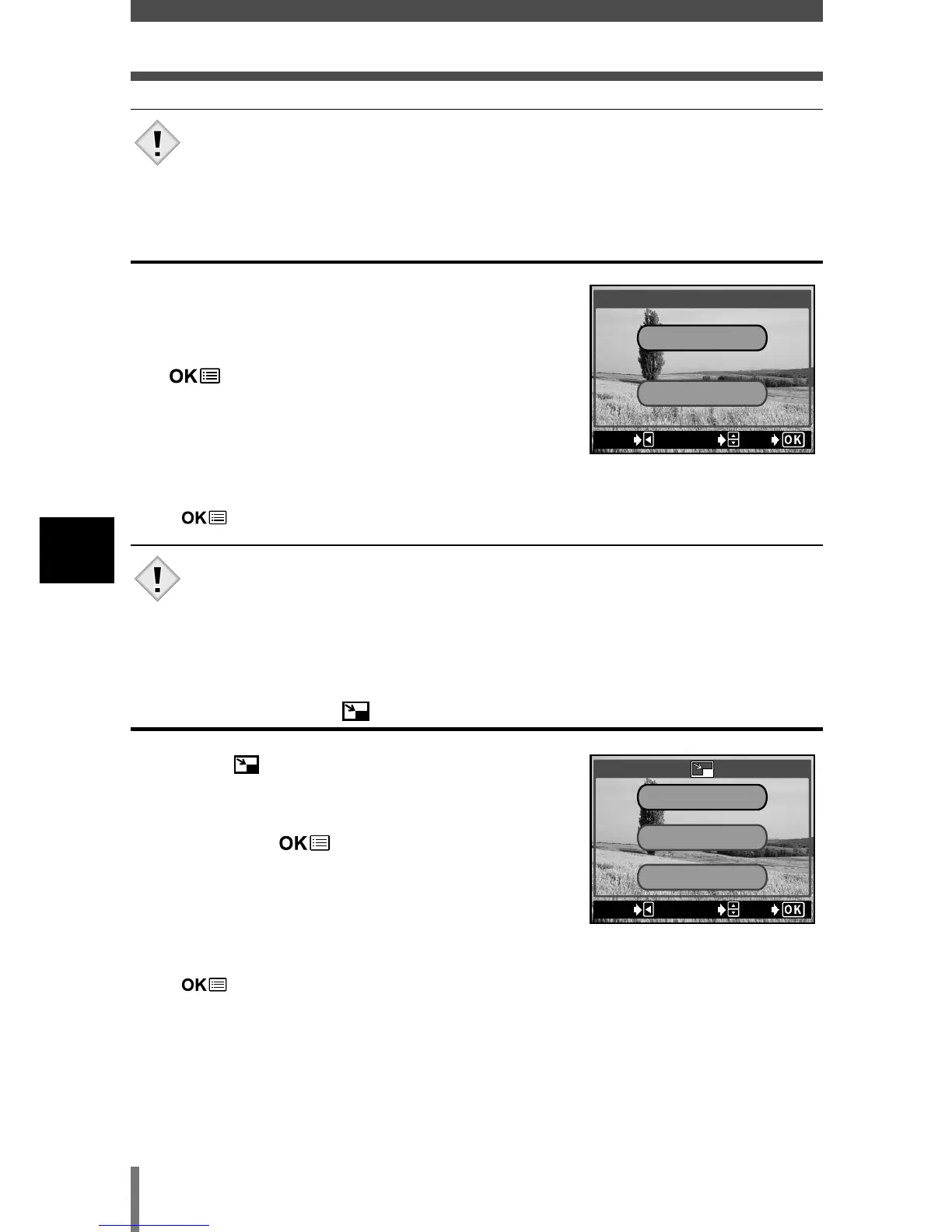
6 Press Ññ to select SEPIA, then press
.
• The BUSY bar is displayed, then the camera
returns to the playback mode. The sepia-toned
picture is stored as a separate picture from the
original.
• To cancel the editing, select CANCEL and press
.
• You cannot create sepia-toned movies.
• You cannot create a sepia-toned picture if there is insufficient
memory space on the card.
Resizing pictures
5 Select , then press í.
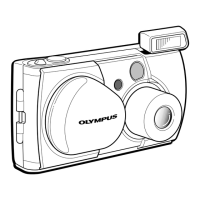
6 Press Ññ to select the new picture size,
then press .
• The BUSY bar is displayed, then the camera
returns to the playback mode.
The newly created picture is stored as a separate
picture from the original.
• To cancel the resizing, select CANCEL, and press
.
SEPIA
SEPIA
CANCELCANCEL
EXITEXIT SELECTSELECT GOGO
640 x 480
CANCELCANCEL
320 x 240
EXITEXIT SELECTSELECT GOGO







 To Next Page