88
6
Useful functions
You can choose whether or not to display the picture you have just taken on
the monitor.
ON : The picture being recorded to the card is displayed. This is useful
for making a brief check of the picture you have just taken. You can
resume shooting anytime during REC VIEW.
OFF : The picture being recorded to the card is not displayed. This is
useful when you want to prepare for your next shot while the
previous picture is being recorded.
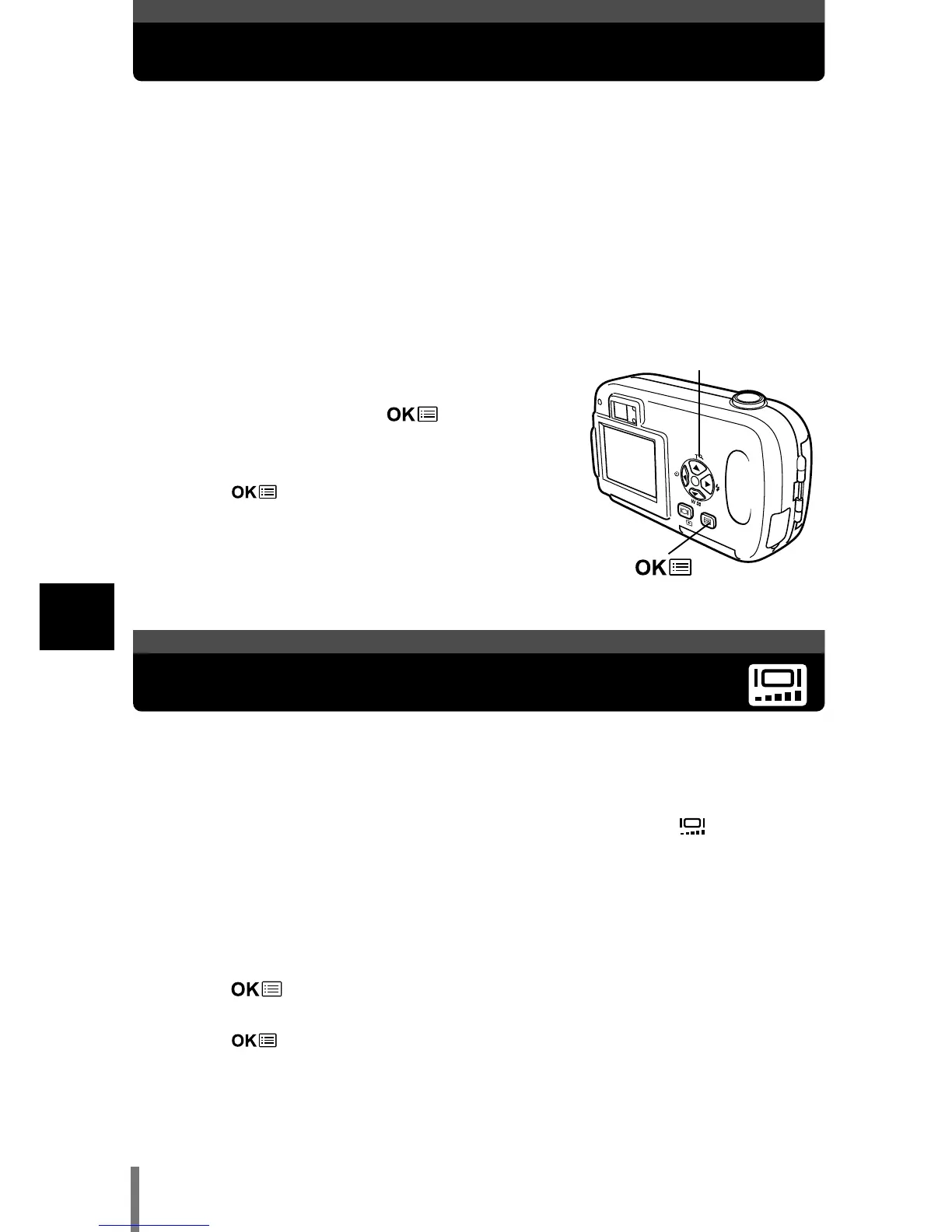
1 In the shooting mode top menu, select
MODE MENU T SETUP T REC VIEW T
OFF or ON, and press .
~
“How to use the mode menu” (P. 30)
• Press again to exit the menu.
REC VIEW - Viewing a picture immediately after shooting
Adjusting the monitor brightness
You can adjust the brightness of the monitor according to the surrounding
conditions to make it easier to see.
1 In the top menu, select MODE MENU T SETUP T , and press
í.
~
“How to use the mode menu” (P. 30)
2 Press Ññ to adjust the brightness while observing the monitor.
Pressing
Ñ brightens the monitor, and pressing ñ darkens it.
Press .
• The monitor brightness is set.
• Press again to exit the menu.
Arrow pad (ÑñÉí)











 To Next Page