31
2
Using the menus
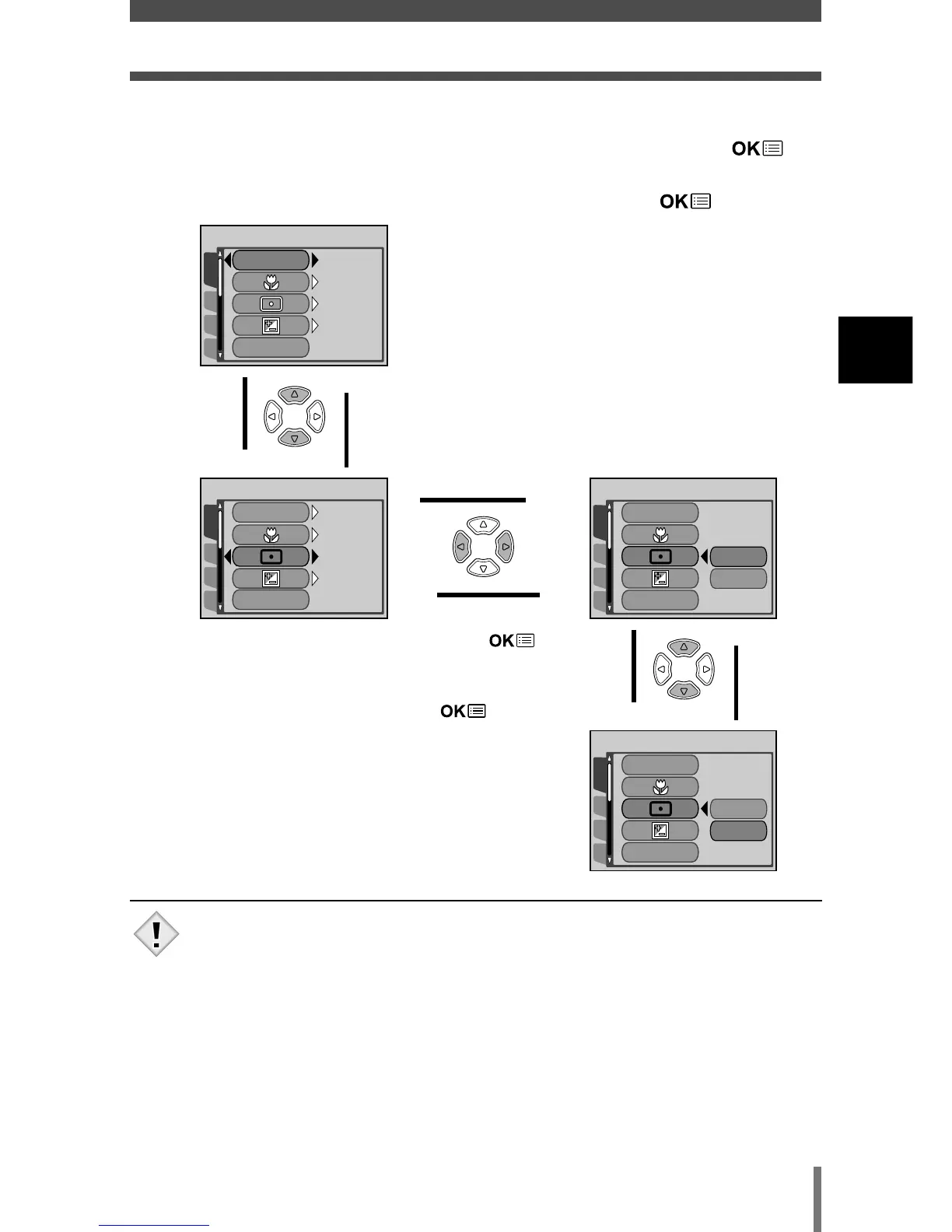
How to use the mode menu
3 Press Ññ to select an item,
then press
í.
4 Press Ññ to select a
setting. Press to
complete setting.
Press again to
exit the menu and return
to shooting.
The green frame
moves to the selected
item.
To return to select
an item, press
É
or .
• Items available for selection depends on the camera settings.
• You can take pictures while a menu is displayed in the shooting
mode.
• If you want to save the settings after the camera is turned off, set
ALL RESET to OFF.
~ “ALL RESET - Saving the settings” (P. 84)







 To Next Page