130
7
Playback
Protecting pictures
You are recommended to protect important pictures to avoid accidentally
erasing them. You can play back only protected pictures. g“SWITCH
FRAME – Playing back only protected pictures” (P.131)
Protected pictures cannot be erased by the single-frame/all-frame erase
function.
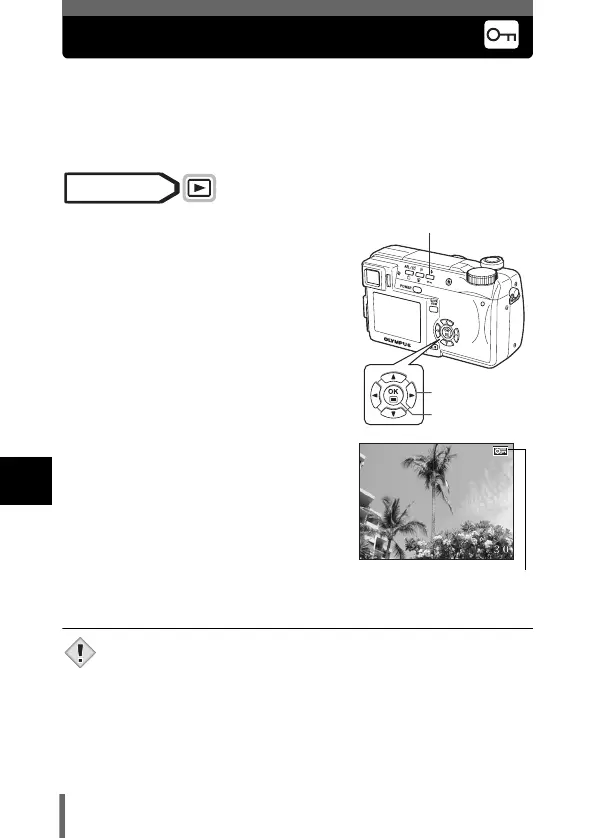
1 Use the arrow pad to display the
picture you want to protect.
g“Viewing still pictures” (P.112)
2 Press 0.
• To cancel protection, press 0 again.
• Protected pictures cannot be erased by the single-frame/all-frame
erase function, but they are all erased by formatting.
Mode dial
Arrow pad
OK button
0 Protect button
'04.02.1
7
15:30
Displayed when a
picture is protected.
Note













 To Next Page