27
Selecting a language
Getting started
1
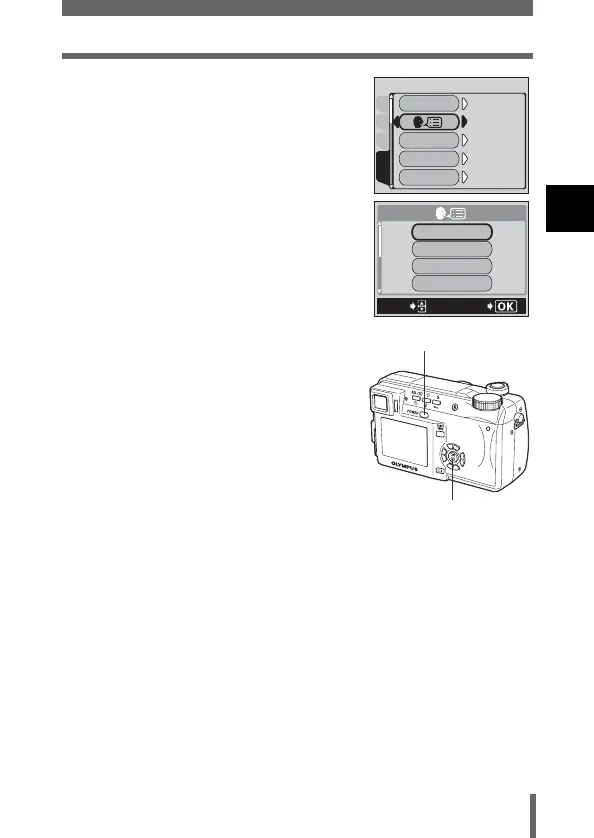
5 Press ac to select W, then
press d.
• The green frame moves to the selected
item.
6 Press ac to select a language,
then press e.
7 Press e again to exit the menu.
8 To turn the camera off, press the
power switch.
CAMPIC
CARD
SEtUP
ALL RESEt
ON
ENGLISH
ON
3 MIN
1
SLEEP
REC VIEW
PW
ON
/
OFF
SEtUP
ENGLISH
DEUtSCH
SELECt
GO
FRANCAIS
ESPAÑOL
Power switch
e button





 To Next Page