148
8
Useful functions
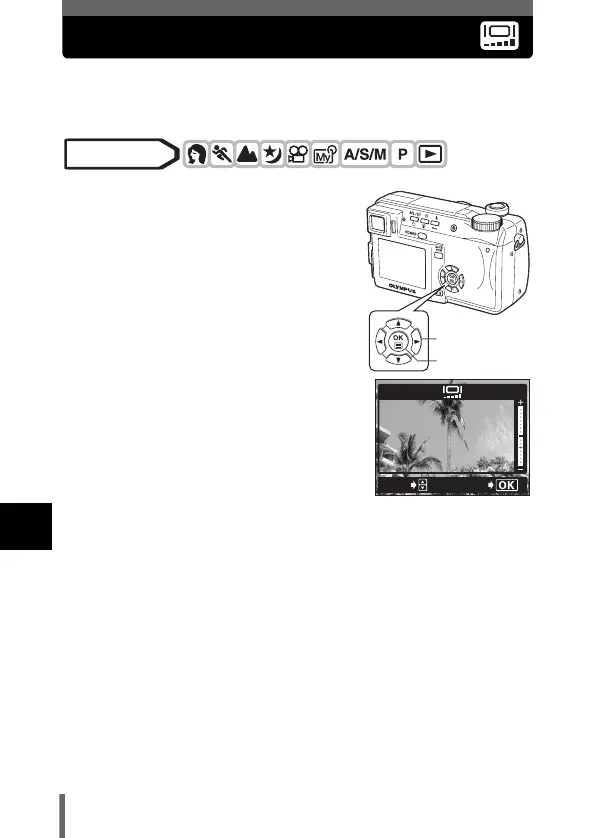
Monitor/viewfinder brightness adjustment
This function lets you adjust the brightness of the monitor and viewfinder
respectively.
1 In the top menu, select MODE
MENU SETUP s, and press
d.
g“How to use the menus” (P.33)
2 Press ac to adjust the
brightness while looking in the
monitor or viewfinder, and when
you have set the desired level,
press e.
•Pressing a brightens the monitor or
viewfinder, and pressing c darkens it.
•Press e again to exit the menu.
Mode dial
Arrow pad
OK button
ADJUSt
GO





 To Next Page