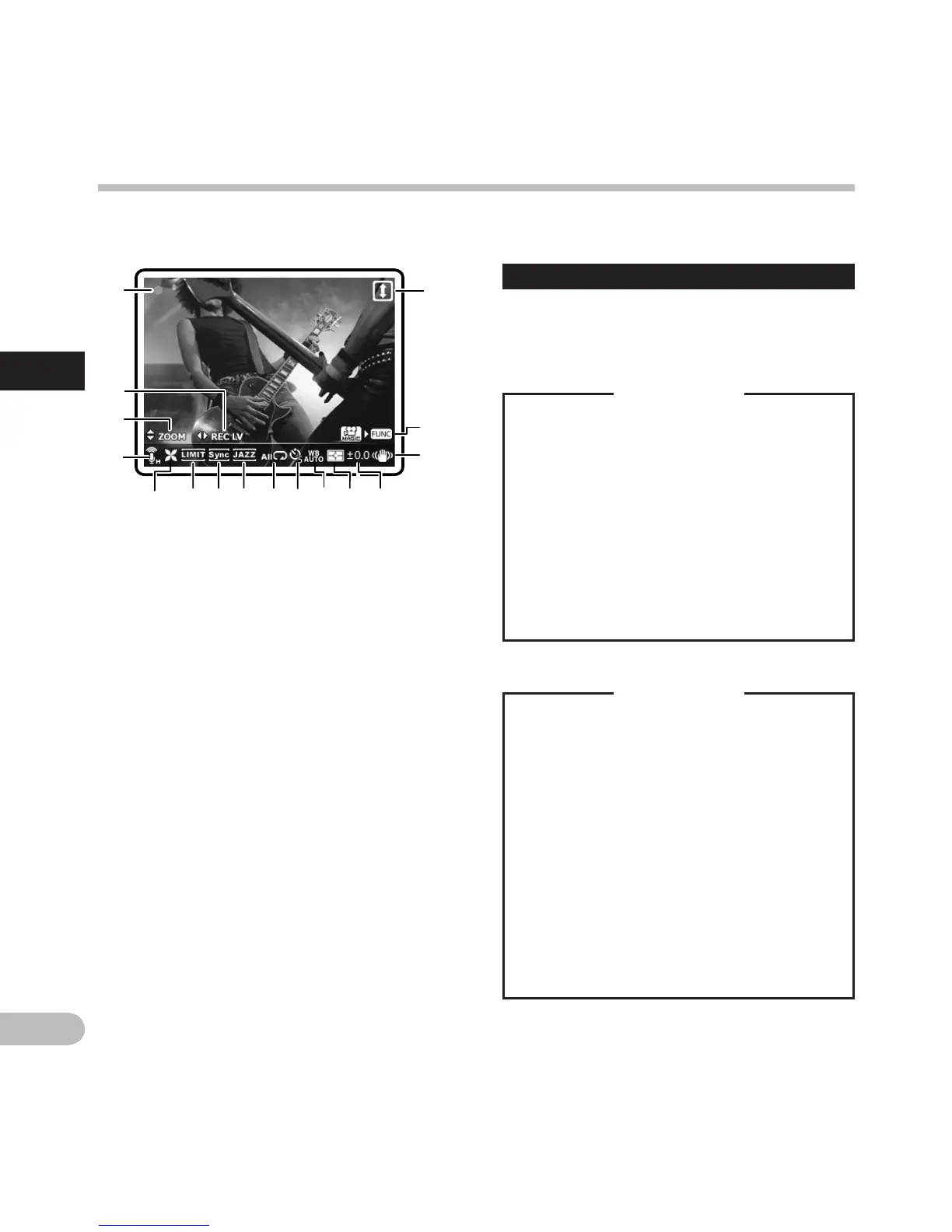
4 Icon display:
1 Shooting mode (s) (
n
)
2 R
ecording Level (
i
)
3 Z
oom (
h
)/ Volume (
g
)
4 Microphone Sensitivity (
q
)(
r
)
5 L
ow Cut Filter (c)
6 Limiter (
[
)
7
Voice Sync
(
Z
)
8 Equalizer (
]
) (
^
) (
_
) (
‘
)
9 Playback Mode (
Y
) (
X
) (
W
)
0 Self timer (
j
)(
k
)
! White balance (
{
)(
;
)(
<
)(
:
)(
=
)(
|
)
@ Metering (
u
)(
v
)
# Exposure compensation (
y
)
$ Image stabilization (
I
)
% Fn button Function (
H
)
^ Reverse Angle Recording (
o
)
About the two LCD displays
The recorder has two displays, the main LCD and
the sub LCD, utilized differently depending on
mode and function.
A
mode
n
mode
During shooting or playback:
• During shooting or playback, both
the main LCD and sub LCD are on.
However, when the [Main LCD
Display] setting of [Recording
Settings] is set to [Off], both the LCDs
are off during shooting. (☞ P.68).
When operation is stopped:
• When operation is stopped, both the
main LCD and sub LCD are on.
Menu settings:
• When you switch to the menu
settings, both the main LCD and sub
LCD are on.
During recording or playback:
• During recording or playback, the
main LCD is off and only the sub LCD is
on.
When operation is stopped:
• When operation is stopped, both the
main LCD and sub LCD are on.
Menu settings:
• When you switch to the menu
settings, both the main LCD and sub
LCD are on.
Identification of parts
Identification of parts



 To Next Page