Inserting and ejecting an SD card
The “SD” indicated in the instruction manual
refers to both SD and SDHC. You can use any
commercially available SD card with the recorder.
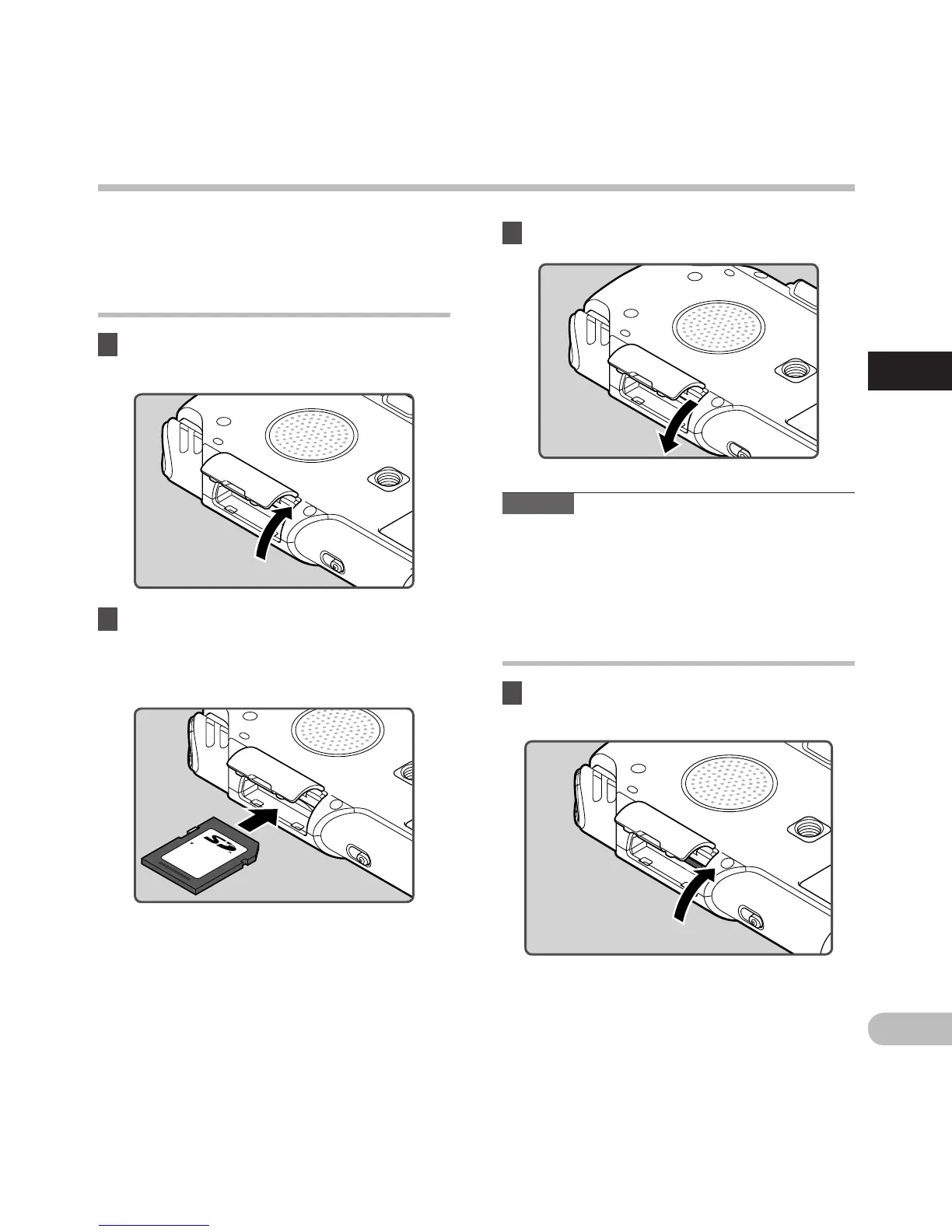
2 Face the SD card in the correct way and
insert into the card slot as shown in the
diagram.
• Insert the SD card keeping it straight.
• Inserting the SD card in the wrong way or at
an angle could damage the contact area or
cause the SD card to jam.
•
If the SD card is not inserted all the way, data
may not be written to the SD card.
3 Close the card cover securely.
Note
• I
n some cases SD cards which have been
formatted (initialized) by another device, such as
a computer, may not be recognized. Be sure to
format SD cards with this recorder before using
them (☞
P.86).
Inserting and ejecting an SD card
Ejecting an SD card
1 While the recorder is during stop
mode, open the card cover.
Inserting an SD card
1 While the recorder is during stop
mode, open the card cover.



 To Next Page