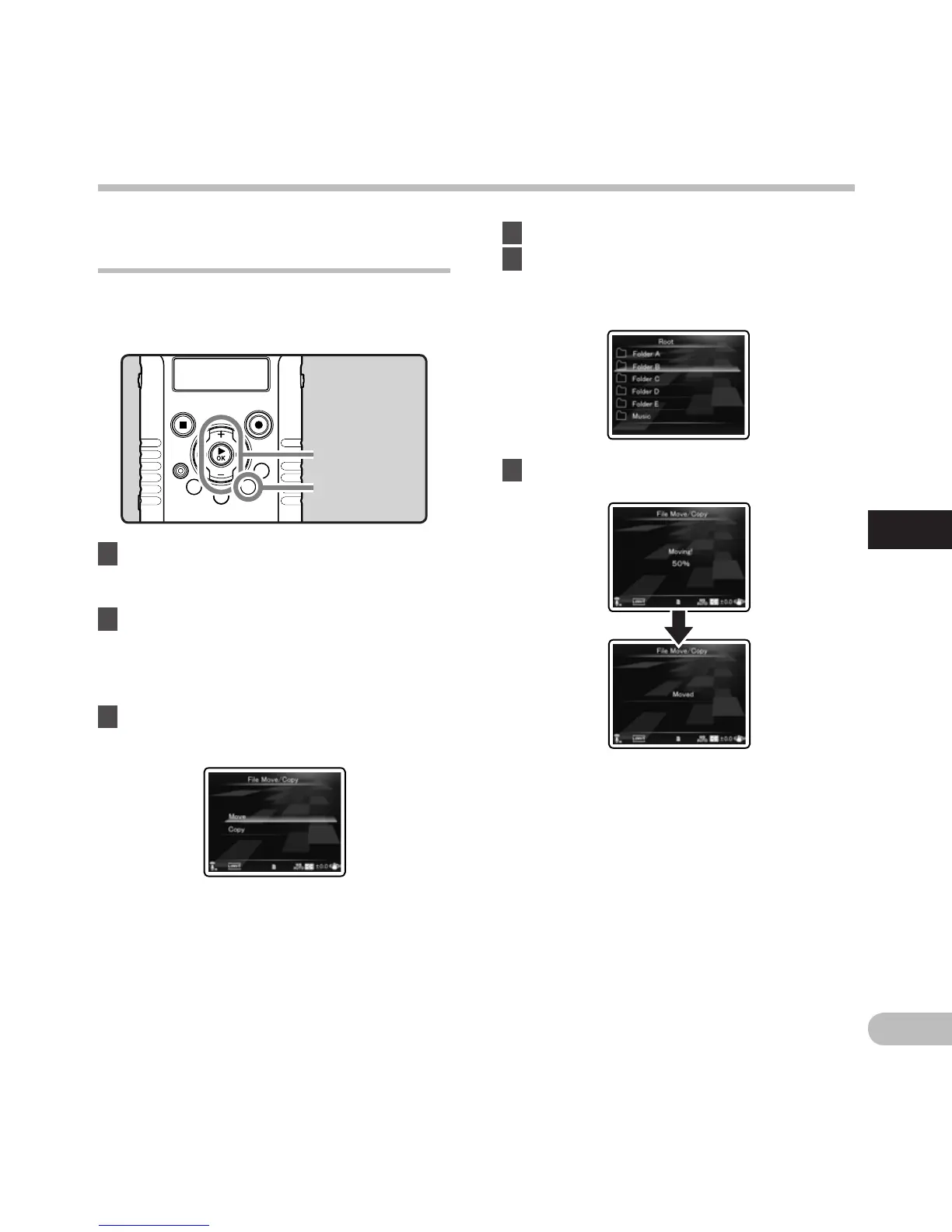
[Move]:
Move a file in the SD card to another folder in
the SD card.
[Copy]:
C
opy a file in the SD card to another folder
within the SD card.
Moving/Copying files
[File Move/Copy] A n
Files saved in the SD card can be moved or copied
within the memory. Files can also be moved or
copied between memory.
1 In the file list display, press the + or −
button to select the file you want to
move or copy (☞ P.32).
2 S
elect [File Move/Copy] from the menu
on the [File Menu].
• For details on how to enter the menu
settings, see “Menu setting method”
(☞
P.63).
3 Press the + or − button to select the
position to move or copy the file to.
+ − button
`OK button
MENU button
4 Press the `OK button.
5 P
ress the + or − button to select the
folder you want to move or copy the
file to.
6 Press the `OK button.
• File move or file copy will start if [Moving!]
or [Copying!] appears on the sub LCD.
During the process, the progress status
will be shown in percentage. The process is
completed when [File move completed] or
[File copy completed] is displayed.
Menu setting method
Menu setting method



 To Next Page