63
4
EN
Menu setting method
Menu setting method
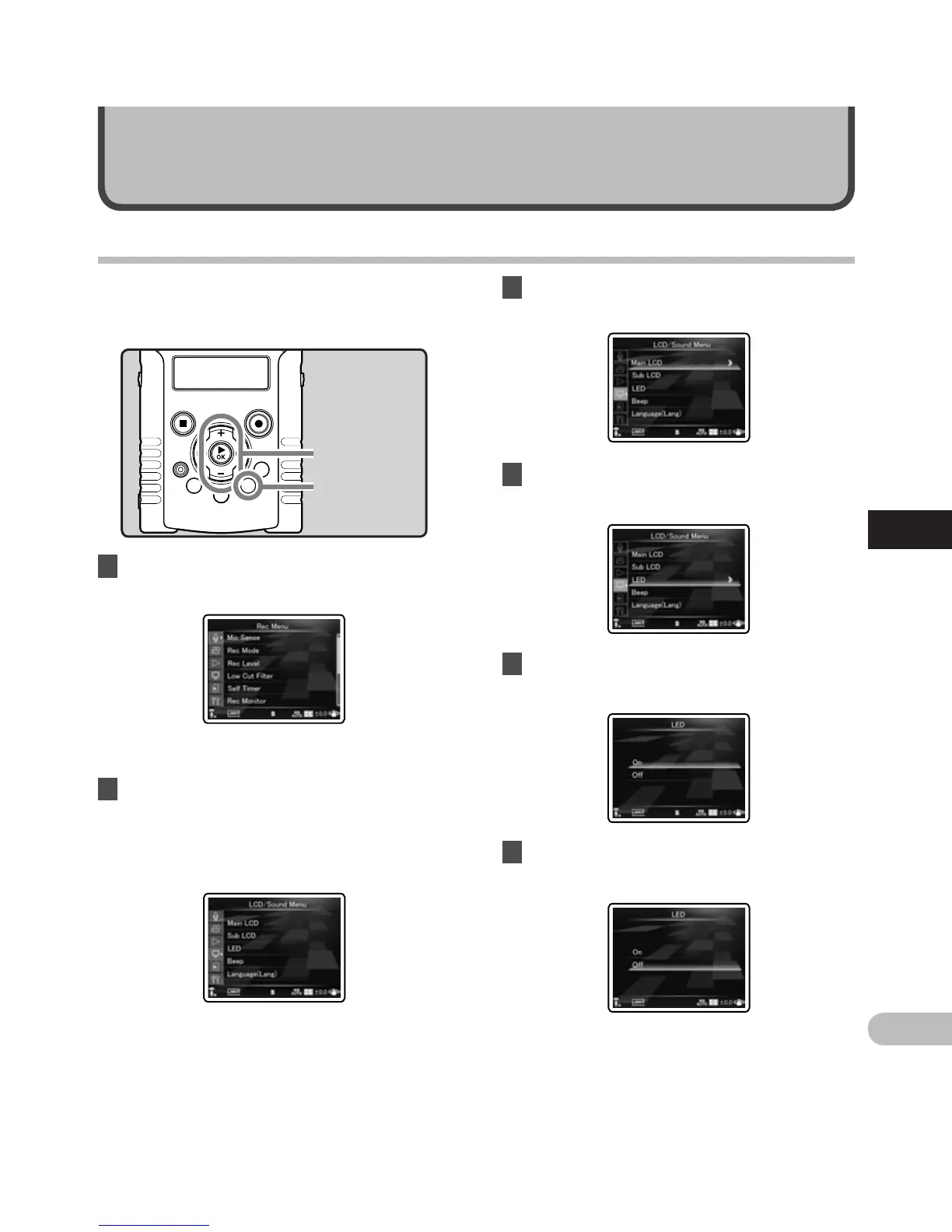
1 While the recorder is during stop
mode, press the MENU button.
Menu setting
• The menu will appear on the display.
3 Press the `OK button to move the
cursor to the item to set.
4 Press the + or − button to move to the
item you want to set.
5 Press the `OK or 9 button.
• Moves to the setting of the selected item.
Items in menus are categorized by tabs, so select a
tab first and move to a desired item to quickly set
it. You can set each menu item as follows.
+ − button
`OK button
MENU button
2 Press the + or − button to move to the
tab that contains the item you want to
set.
• You can change the menu display by moving
the settings tab cursor.
6 Press the + or − button to change the
setting.



 To Next Page