Using Quick Time
Using Quick Time
You can transfer the voice files you record and movie files you shoot with the recorder to a PC, and then use
Quick Time to play them.
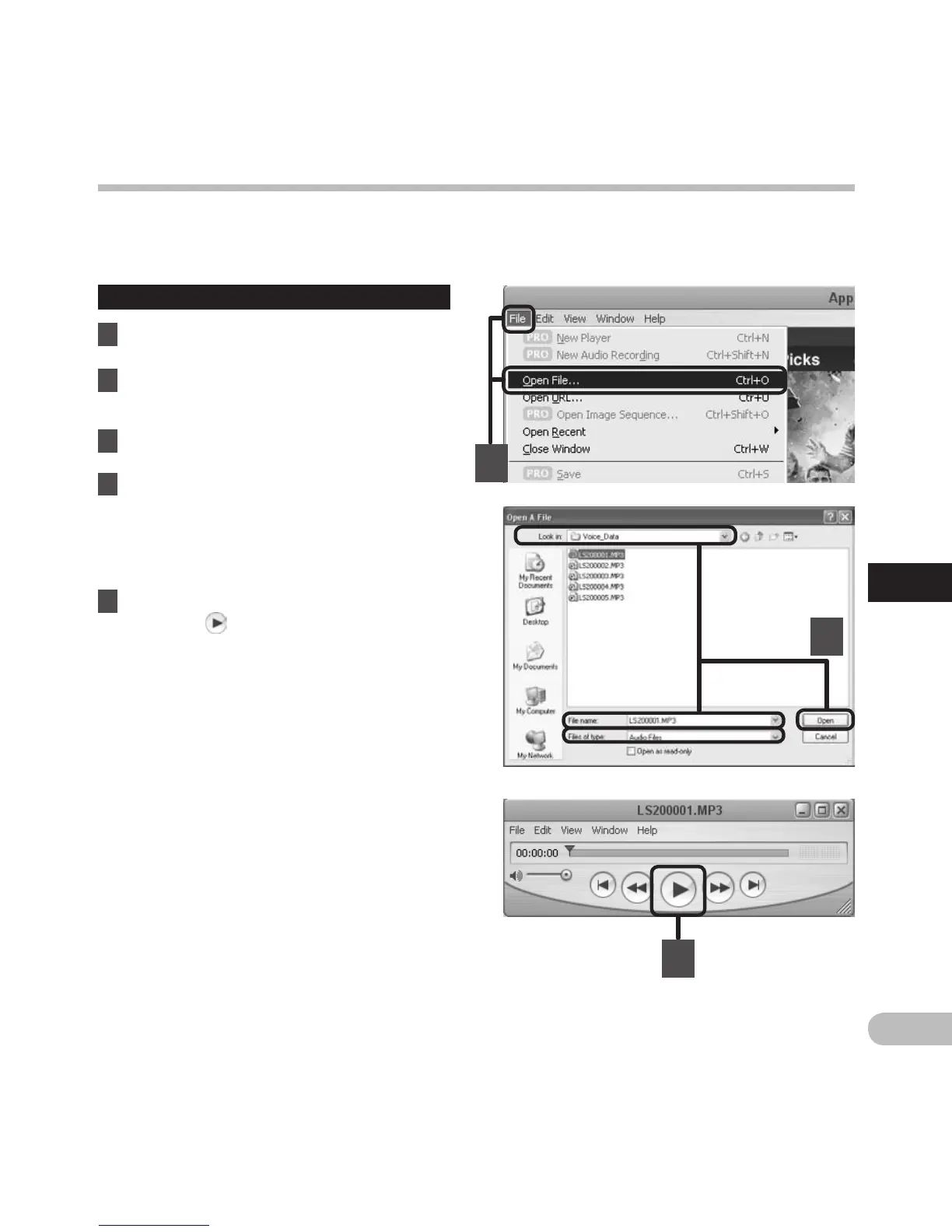
Play the voice file
1 Connect the recorder to your PC
(☞ P.90).
2 O
pen the “Quick Time”.
• The control screen of Quick Time Player is
visualized.
3 Select [Open File] from the [File] menu.
• The [Open A File] dialog box appears.
4 At the dialog screen, set the [File
location], [File type], and [File name]
for the file you want to play.
• When selecting a voice file recorded with
the recorder, set [File type] to [Audio Files].
•
Select a file, and then click [Open].
5 Play the voice file.
• Click the button in the controls of Quick
Time Player to start playback.
4
3
5



 To Next Page