Shooting movies
n
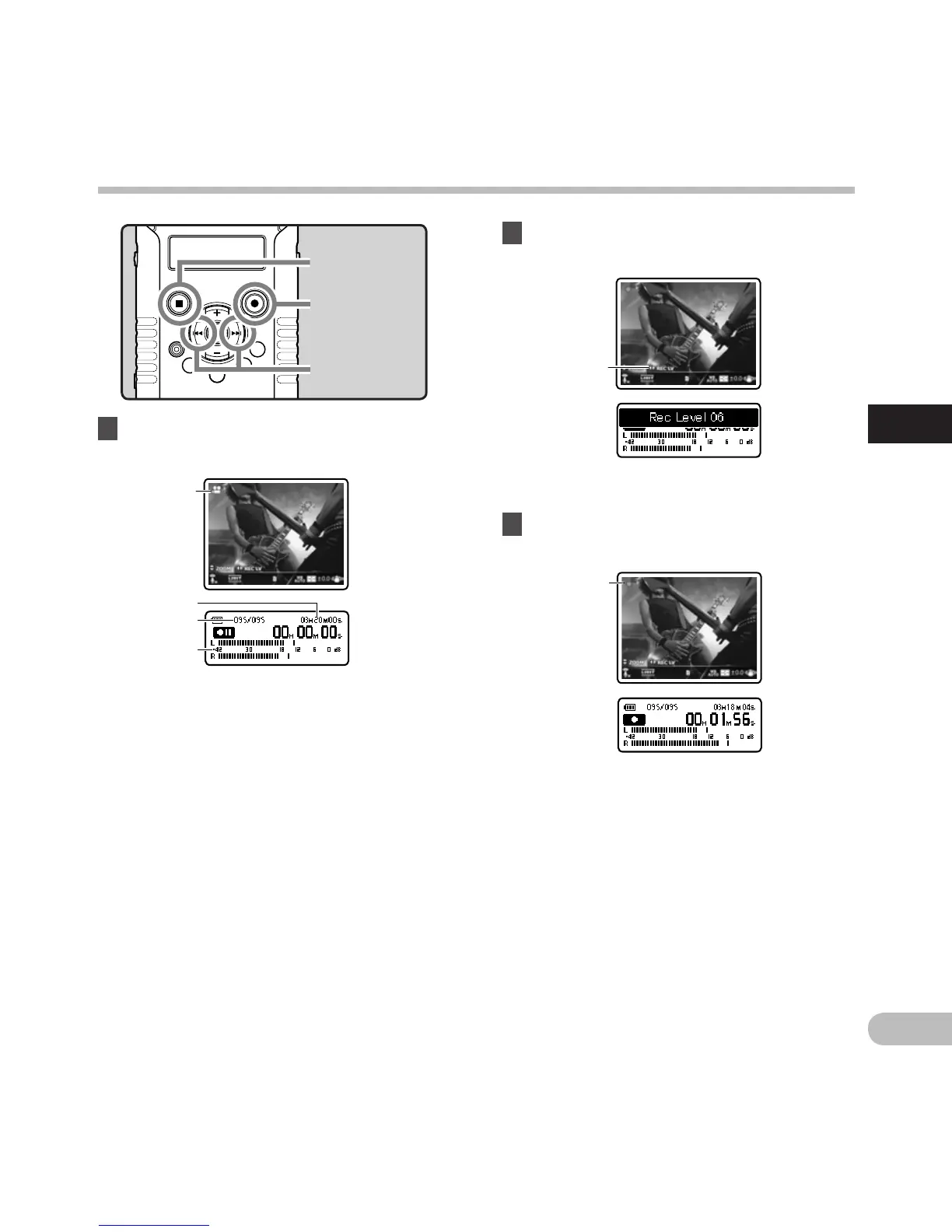
3 Press the REC (s) button to start
shooting.
Shooting movies n
• The recording/shooting indicator light
grows and [K] will appear on the sub LCD.
•
Sound will also be recorded.
f S
hooting mode (Shooting state)
1 Press the REC (s) button to prepare
shooting.
2 Press the 9 or 0 button to adjust
the recording level of sound (☞ P.35).
STOP (4) button
REC (s) button
• The recording/shooting indicator light will
flash and [≠] will appear on the sub LCD.
•
[Image Quality] cannot be changed in the
shooting standby mode or while shooting.
Configure this while the recorder is stopped
(☞
P.68).
a S
hooting mode (Shooting paused state)
b R
emaining shooting time
c F
ile number
d L
evel meter (changes according to the
recording level and recording function
settings)
9 0 button
e Recording level guide indicator



 To Next Page