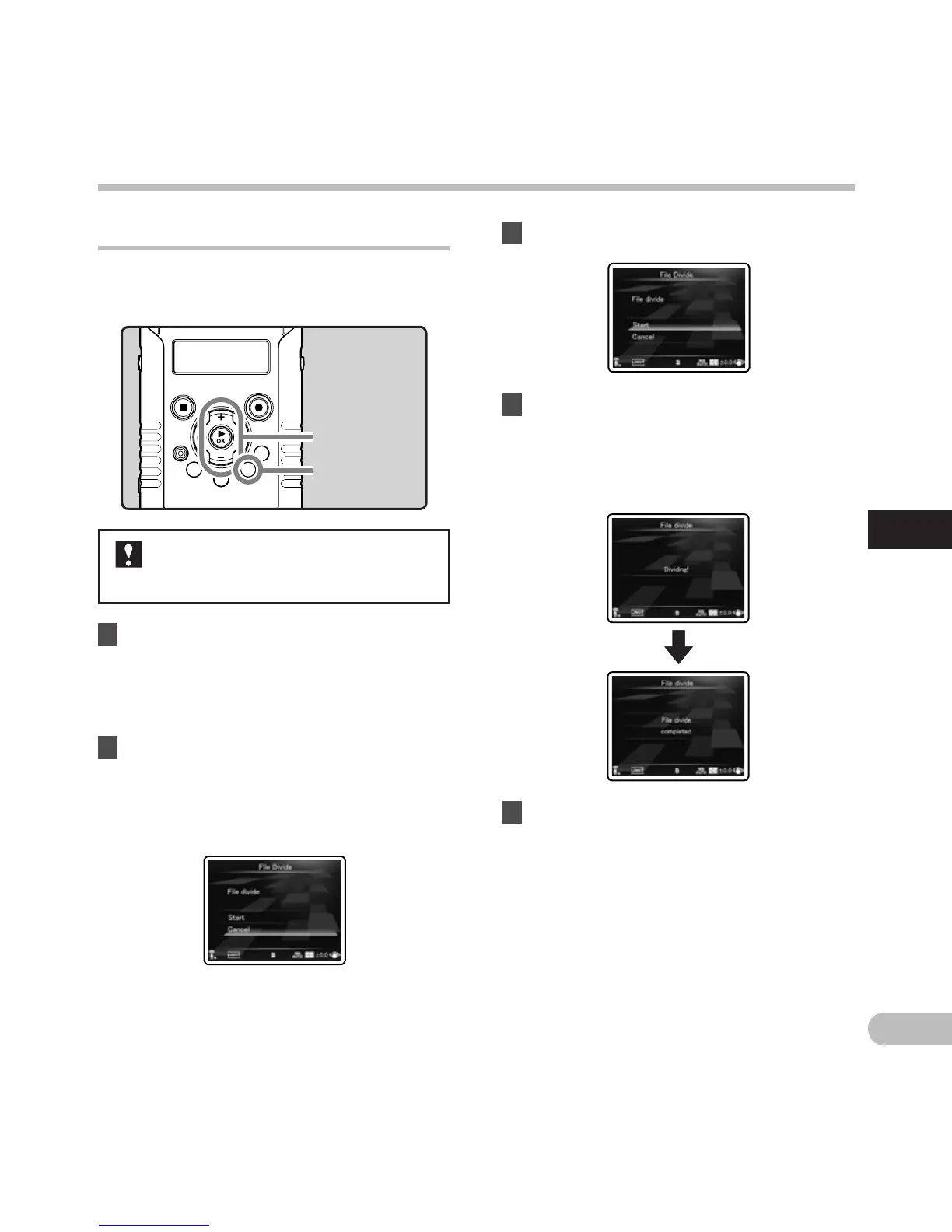
+ − button
`OK button
MENU button
Dividing files [File Divide] A n
Files with large capacities and long recording times
can be divided so that they are easier to manage
and edit.
It is recommended to make a copy of
the original file before dividing a file
(☞
P.79, P.92).
1 Stop playback at the divide position.
• While the recorder is during playback mode,
press and hold the 9 or 0 button to
fast-forward or rewind.
•
It is useful to set index marks on marking in
advance at the divide position (☞
P.52).
2 Select [File Divide] from the menu on
the [File Menu].
• For details on how to enter the menu
settings, see “Menu setting method”
(☞
P.63).
3 Press the + button to select [Start].
5 Press the MENU button to complete
the setting.
4 Press the `OK button.
• [Dividing!] will appear and file dividing will
start.
•
File dividing is completed when [File divide
completed] appears.
Menu setting method
Menu setting method



 To Next Page