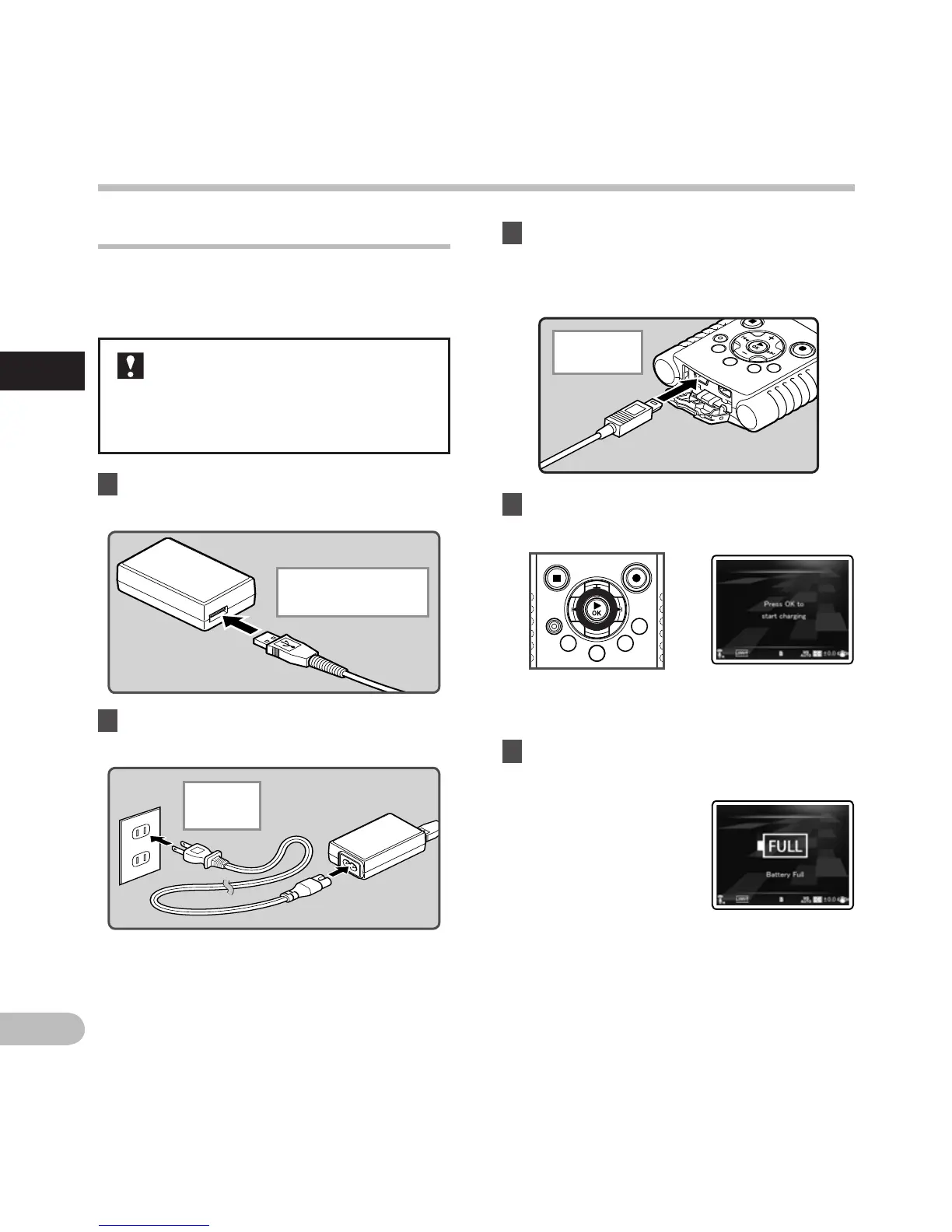
Connect to the USB-AC adapter to charge
It can be charged by connecting to the USB-AC
adapter (F-3AC).
1 Plug the recorder’s USB cable into the
AC adapter.
• Before connecting the AC adapter,
switch the USB connection setting to
[AC Adapter] (☞
P.84).
• Before connecting the USB cable, exit
HOLD mode (☞
P.24).
2 Connect the AC cable to the AC
adapter, and then to an AC outlet.
To the USB-AC
adapter’s (F-3AC) USB
connector
Power supply
To the
AC outlet
3 While the recorder is during stop mode
or turned off, connect the USB cable to
the connecting terminal on the bottom
of the recorder.
To the USB
connector
4 Press the `OK button to start
charging.
• While [Press OK to start charging] is
flashing, press the `OK button.
5 Charging is completed when [Battery
Full] is displayed.
Power supply



 To Next Page