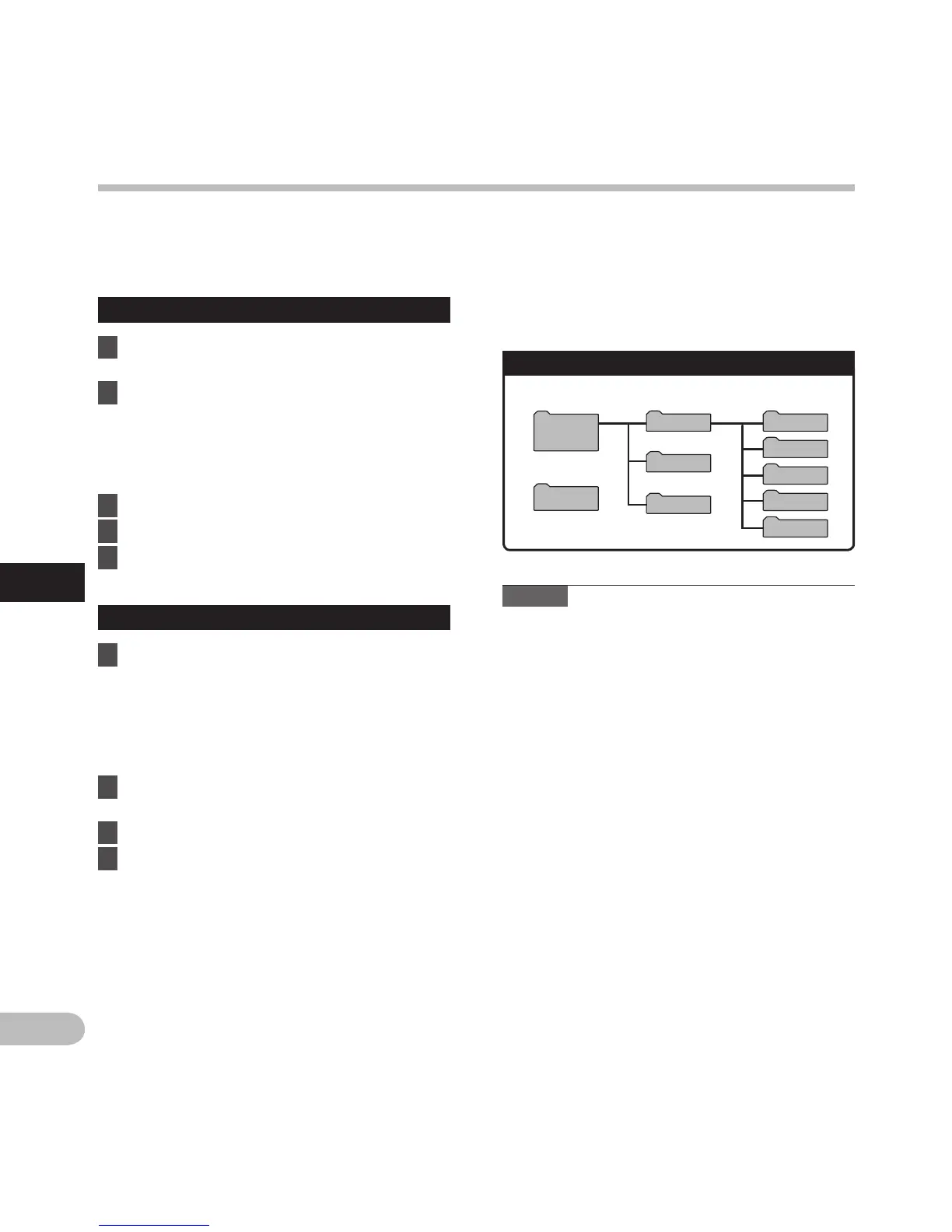
Folder A
Folder B
Folder C
Folder D
Music
Recorder
Windows
Removable
Disk
Macintosh
LS20M
Folder E
DCIM
Transfer the voice files to your PC
The 5 voice folders of this recorder are named as [Folder A], [Folder B], [Folder C], [Folder D] and [Folder E],
and the recorded voice files are saved in these folders. Furthermore, the movie shooting folder is named as
[DCIM]. Copy a folder to any folder on your PC.
Windows
1 Connect the recorder to your PC
(☞ P.90).
2 O
pen the Explorer window.
• When you connect the recorder to Windows
and open [My Computer], it will be
recognized by the drive name of the product
name. Inserting an SD card will allow you to
use it as [Removable Disk].
3 Open the product name folder.
4 Co
py the data.
5 D
isconnect the recorder from the PC
(☞ P.91).
4 D
rive names and folder names when a
PC is connected:
SD card
Notes
• W
hile transmitting data, [Busy] is displayed,
and the PEAK/LED indicator light flashes. NEVER
disconnect the USB cable while the PEAK/LED
indicator light is flashing. If you do, the data will
be destroyed.
•
In a Windows standard environment, 24-bit
wav-format files cannot be played. Use “Quick
Time” or “Olympus Sonority” (Optional) for
playback of such files.
•
“Olympus Sonority” (Optional) allows you to
perform operations such as editing voice files,
but it does not support movie files.
Drive name Folder name
Macintosh
1 Connect the recorder to your PC
(☞ P.90).
• When you connect the recorder to
Mac OS, it will be recognized by the drive
name of the product name on the desktop.
If an SD card is inserted, [LS20M] will be
displayed.
2 Double-click the product name icon on
the desktop.
3 Co
py the data.
4 D
isconnect the recorder from the PC
(☞ P.91).
Transfer the voice files to your PC



 To Next Page